
Jul 20
Clone/delete/move multiple Options in one go
We want to clone multiple layers at one time when creating options sets for complicated products
Completed
Augusto D'Amario: Hi Augusto, I see that when cloning many options in 1 go, the duplicated layers are placed separately. Can we have them placed in order as the original layers?
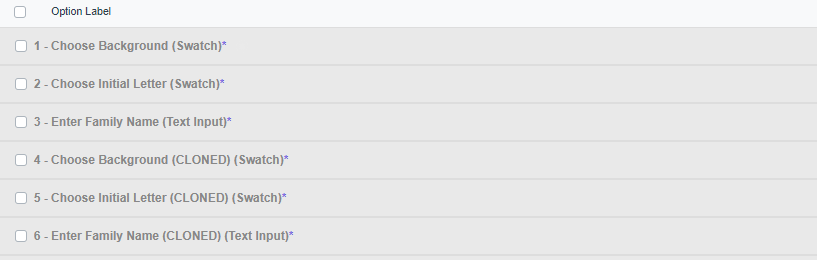
Doan Trang Nguyen: Hello there! I appreciate your valuable feedback. Based on the example you've provided, it seems you're looking to have these items positioned just below the duplicated set of options. I'd like to share a couple of thoughts: 1. Once you've completed the cloning process, you can conveniently utilize the new "Move Bulk" action to group and place all these items precisely where you intend them to be. 2. It's worth noting that there might be situations where the cloning action is carried out on selected options that are not consecutive. Nonetheless, your specific use case seems to align with the more common scenario. Nonetheless, your specific use case seems to align with the more common scenario. Please feel free to reach out if you have any further insights or questions. Your input is highly valued!
Augusto D'Amario: Hi Augusto, I tested your recommendation and saw a fact that when using "Move Bulk", the options are placed in the reverse order. I'm just wondering if there is any solution to have the options arranged in the right order? Please kindly check the attached images. I'm looking forward to your earliest reply.
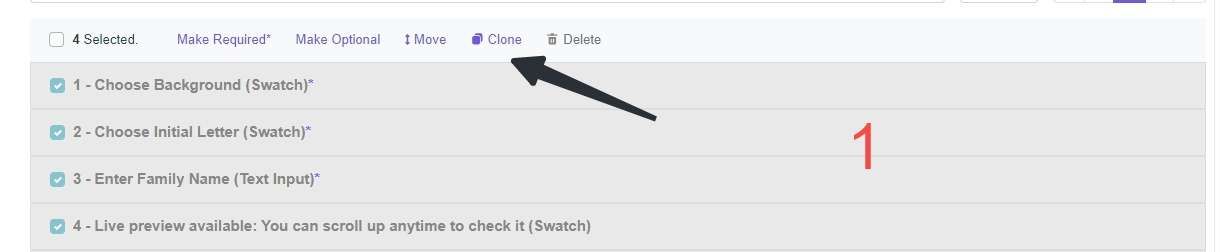
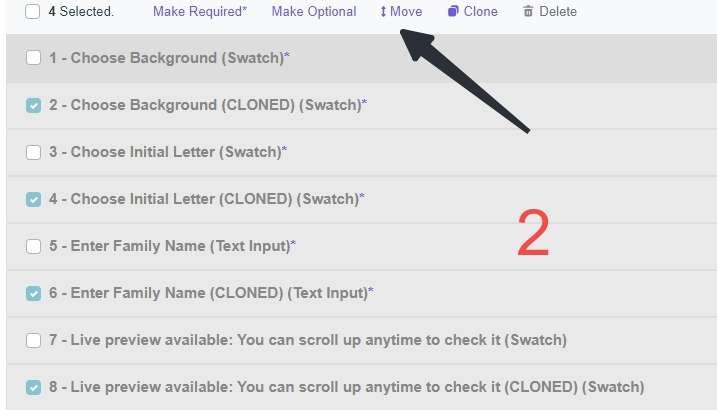
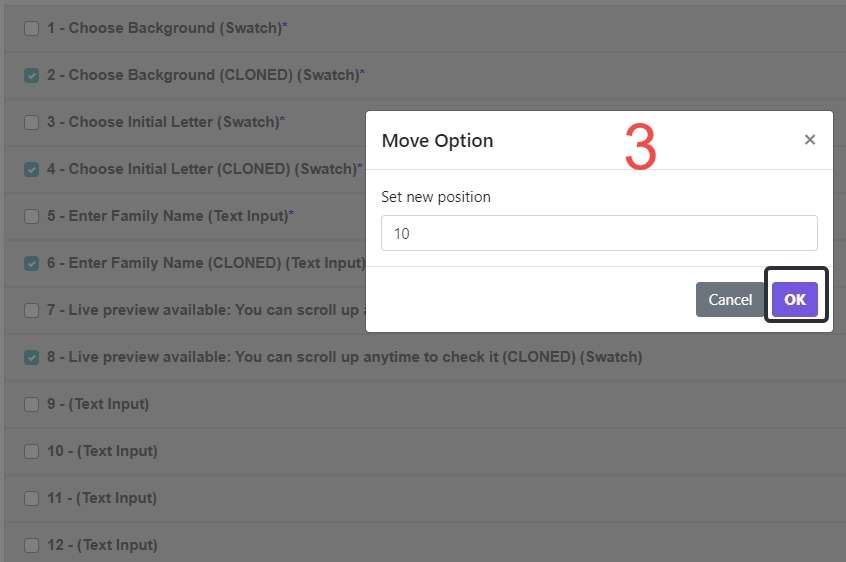
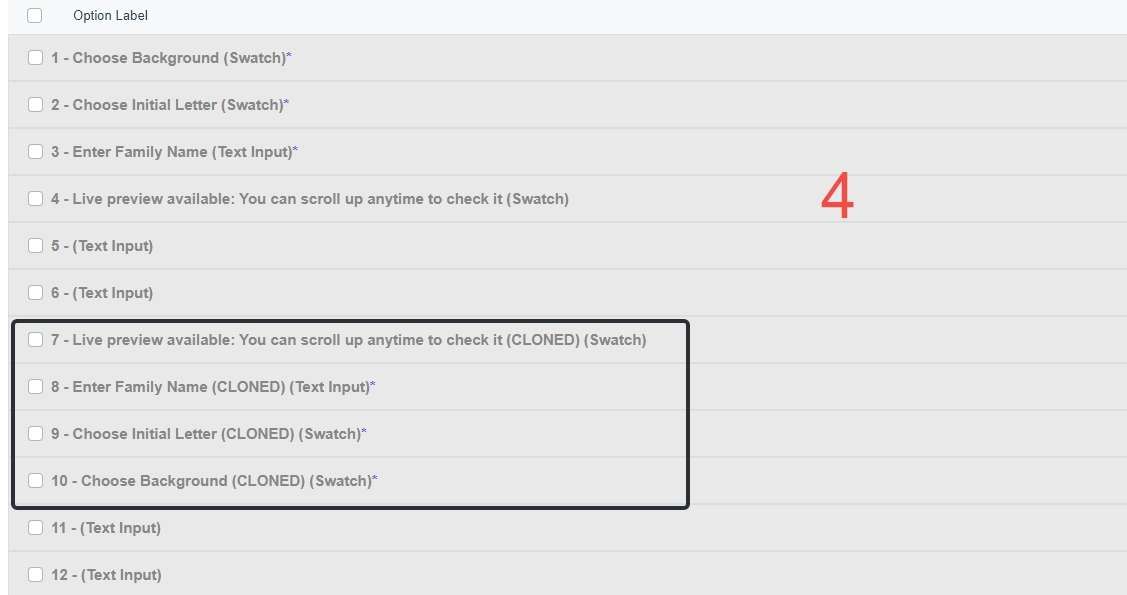
Doan Trang Nguyen: Big thanks for flagging this. We'll revise that aspect for sure!
Doan Trang Nguyen: hello there👋! We just wanted to share with you that the reverse order problem has been sorted out.
Augusto D'Amario: Thank you for your effort. I'll get back if there are further supportive ideas.
Augusto D'Amario: Thank you for your consideration! I look forward to using it.
Hello! Thank you for bringing this idea. We will consider carefully adding more bulk actions for the Option Set.
Hey Doan Trang Nguyen Thanks for sharing your input! I carefully reviewed your suggestion and made the title more precise. You're absolutely right that we've already begun implementing bulk actions for the Option Set. Your idea of cloning multiple options at once will be taken into serious consideration in our upcoming rounds of improvements.
Augusto D'Amario: Thank you for your consideration!
Hello Doan Trang Nguyen! Thank you for sharing this interesting idea. I would like to ask for further details to gain a better understanding. When discussing multiple cloning, are you referring to the Option Set or within the context of the Template?
Augusto D'Amario: Hi Augusto, I want to clone multiple layers in the Option Set at one time. When creating Option Sets for complicated products that include hundreds of layers, it would be very convenient if I could clone many layers per time. I hope you could consider this idea. Thank you so much!
Augusto D'Amario: Hi Augusto, I saw that a suggestion named "bulk select OPTION", which is slightly similar to mine, is in progress. Therefore, I would like to clarify my suggestion more clearly to give a supportive idea. I want to clone many options at one time to create an option set faster. For example, instead of manually cloning each option one by one to create 250 options, I hope bulk selection can allow me to clone 50 options per time, so I can create 250 options in only 5 clicks.
https://customily.canny.io/changelog/clone-and-move-bulk-act…