C4 Print I tried it but there was no change in the color picker. any specific settings you use to make this landscape rotation workaround work?
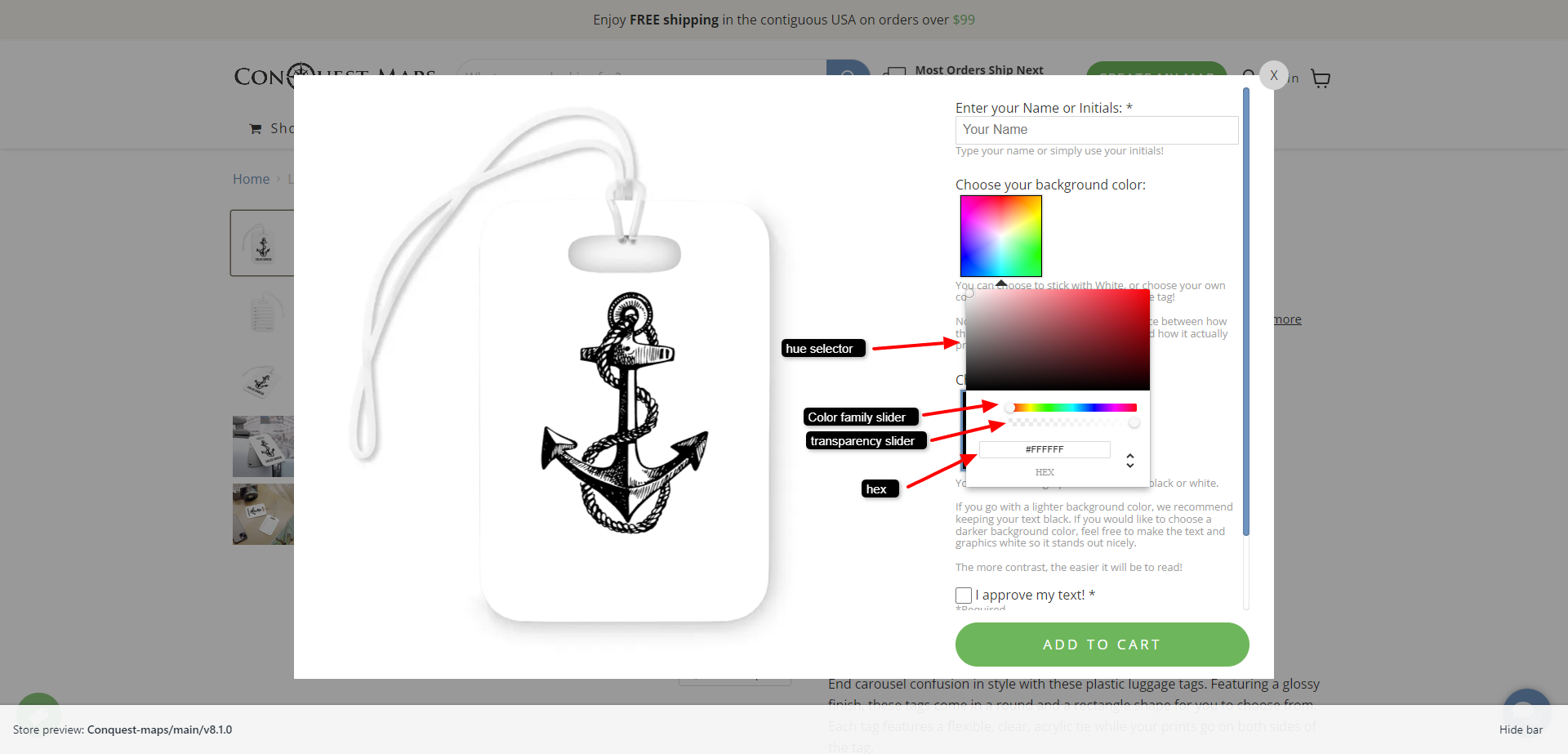
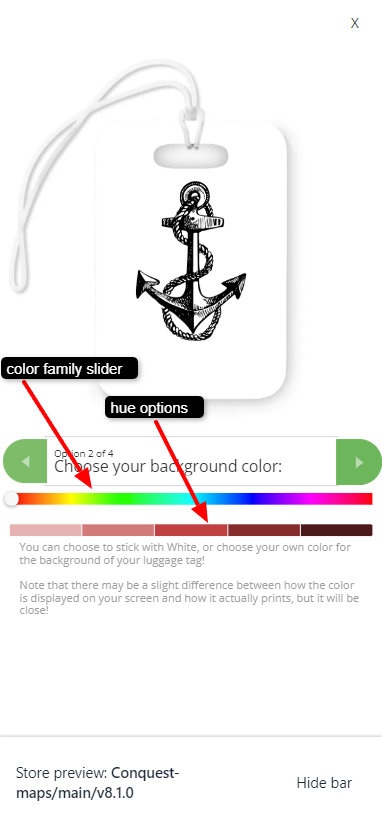
Tarek Kabbani nothing special. The colour picker has the horrible 1d bar style when in portrait on Android and the nice 2d picker when in landscape. Maybe you're on iOS? Otherwise I'm not sure sorry
C4 Print I tried it on 2 different android mobile phones but the color picker remains the 1d bar in both portrait and landscape. not sure what the situation is on IOS. Maybe, this feature depends on the phone screen size. Thanks for pointing it out.
Tarek Kabbani oh yes you're right! I tried on my other mobile and it stays the same. The one that it works on is the galaxy flip which has a slightly different aspect ratio so I wonder if that's why (2640x1080). My other phone is 2340x1080 and it doesn't work
Hello Caio, Tarek Kabbani. Thank you for bringing up this issue again. We've added black and white options to reduce the gap and plan to significantly improve the mobile picker soon.
Augusto D'Amario that's a great starting point to make the color picker experience more mobile friendly! Nowadays, the mobile experience is becoming more important the desktop version. We hope to see soon the full range of colors on mobile because there are still lots of color shades missing. Please let us know if there is timeline for the mobile picker further improvement. Thank you and the Customily team for the support.
The cell phone's color picker is useless, it has very few colors, the User can't do anything. The Desktop one is complete. There are several color picker libraries for Mobile that work.
Caio how do you overcome this issue on mobile? I currently add a swatch option with black and white in addition to the default color picker. What do you mean by color picker library? Can we create our own color picker?
Tarek Kabbani No, we cannot create. What I mean is that there are several decent color selectors for Mobile available for the Product team to be inspired or use, but the selector used by Customily reduces customers' options drastically. I have done like you to select black, white and gray.
Caio yes, I am surprised Customily are missing such a basic and very important feature especially that nowadays the majority of customers use their phones when browsing or shopping. Not being mobile friendly nowadays can make us loose potential sales. I currently use the "modal preview" for mobiles which means one step will be the swatch and then the one after it will be the color picker, which can make the personalization confusing for mobile users. Thank you for bringing to my attention that also the gray color is missing, I now have to go back and add it for all 🤦🏽♂️
Tarek Kabbani I spoke to Ngoc/Henri and he said that this is on their roadmap, but it is very important for us to warm up your post here to gain relevance.
Caio you're right about warming the post. This should be one of their priority features now. Honestly, it doesn't make sense to me that Customily are now working on advanced feature suggestions, meanwhile, this basic feature is still on the roadmap.
Tarek Kabbani I don't know what your e-commerce is, but for me the user being able to enter any hexadecimal is essential...
Caio same for me. or be able to copy and paste the color code to have consistent colors in the design.
I queried this in the past. Our work around : If you prompt your user to rotate their device to landscape, they get the full colour picker.