May 15

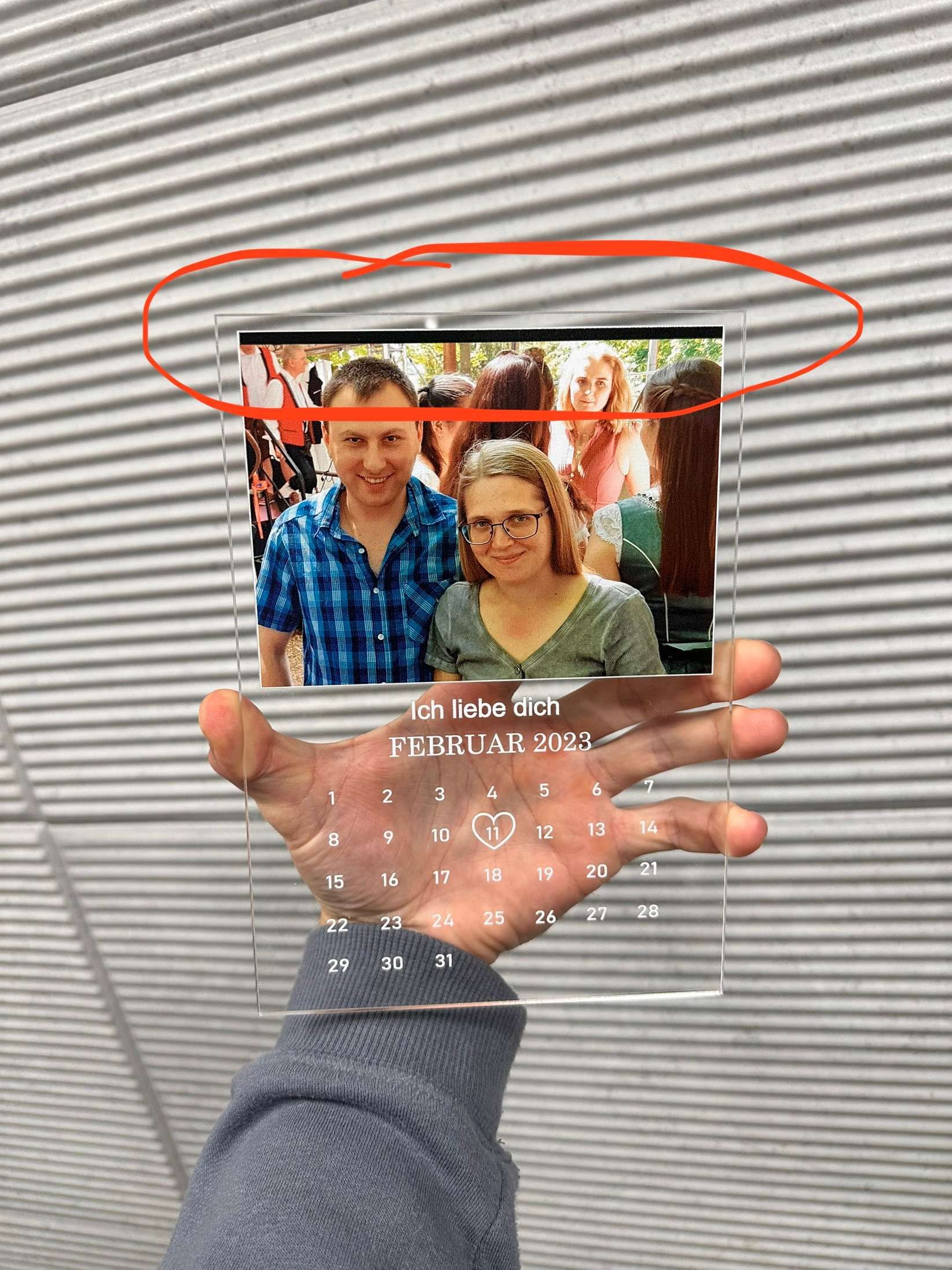
Prevent customers from making the uploaded image smaller than the placeholder

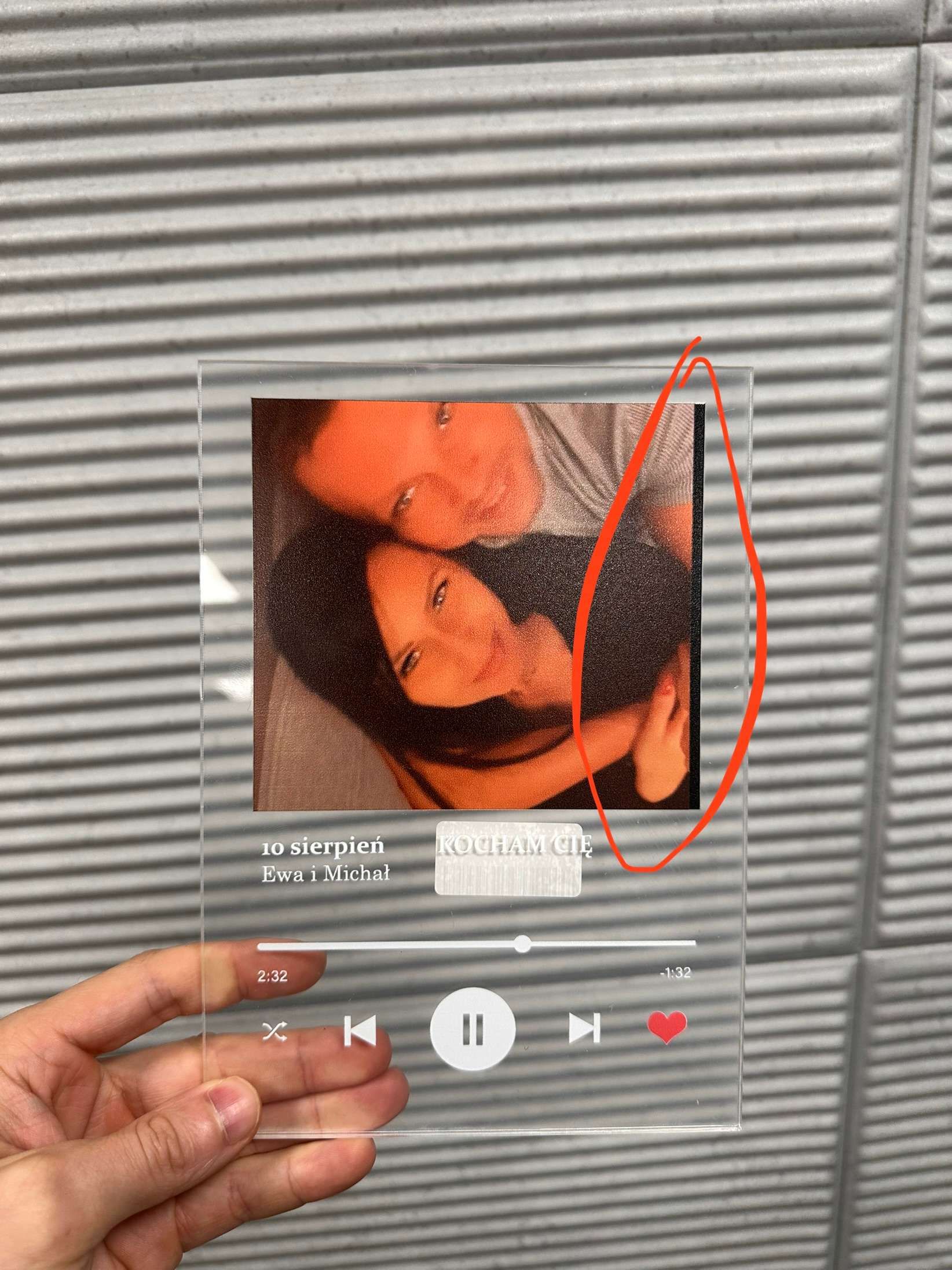
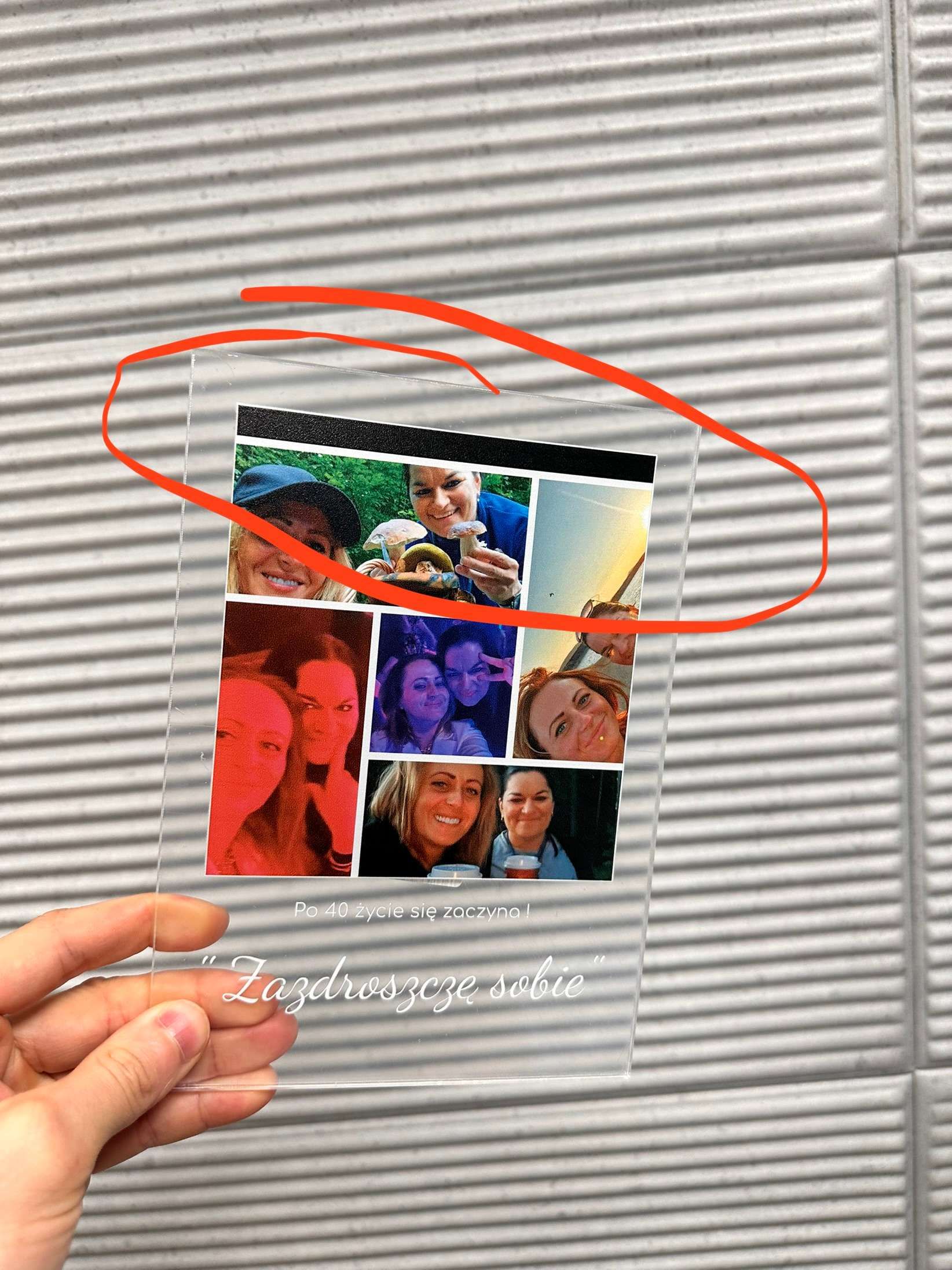
We do have the Fill Area feature enabled but the image can be scaled down after uploading, leaving blank spaces if the image is smaller than a placeholder. We would like to limit the image to the size of the placeholder, so they can't make it smaller than it.
CompletedCompleted

Jan 2, 2024

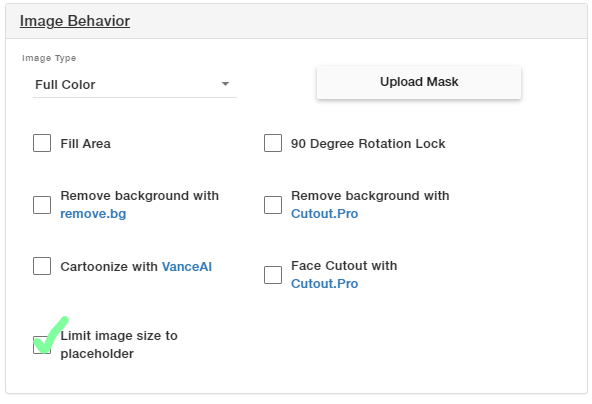
You can now select a new option for Image Placeholders: "Limit image size to placeholder". This will prevent an uploaded image to be smaller than the placeholder. Right now, activating this feature is only possible from the Template or Design and it will block rotation of the image.

Dec 11, 2023

Hi, how's the work going?

Dec 11, 2023

Oleksandr Shkvaryliuk: Hi Oleksandr! The functionality is now available. We've been conducting a beta test, which is why it might still appear as 'in progress'. To test it out, please make sure to check the 'Limit image size to placeholder' field 👇

Dec 12, 2023

Augusto D'Amario: Hello, I've already started to enable this feature on my products and noticed that you can't rotate the photo (even if you zoom in a lot). P.S. But overall, I'm happy with this feature

Dec 12, 2023

Oleksandr Shkvaryliuk: Yes, the rotation is disabled when this feature is on for now. We are happy that you are finding the feature useful! Any other feedback is welcomed.

Dec 17, 2023

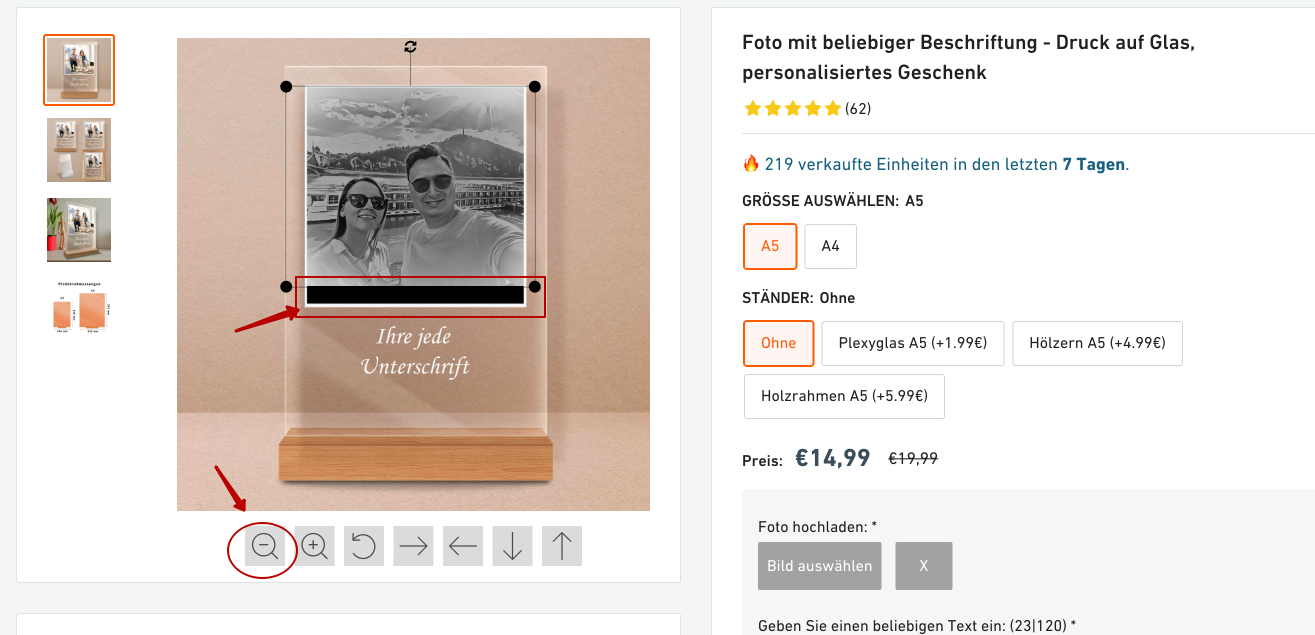
Julian Ferreiro: I found that the motion arrows work when enabled and you can move the photo and the black bars will be visible again

Dec 19, 2023

Oleksandr Shkvaryliuk: Thanks for the info. We'll try to fix it as soon as possible. Also, are you still receiving personalizations with the image outside the placeholder?

Jan 17, 2024

Julian Ferreiro: Yeah, I keep getting orders like that

Nov 10, 2023

Augusto D'Amario: Do you maybe have any eta on this?

Sep 19, 2023

Augusto D'Amario: I'm hoping this is a feature that can be turned on or off, just like the "Fill Area" checkbox. I can see cases in our usage where shrinking the upload is absolutely necessary, mostly when cutout.pro is used, when the artwork comes back from the api it always zooms in slightly, and we see many clients that shrink it past the original bounding box. Or anytime background remove is used, your likely to reduce past the original size and it will not have a missing area at all and be just fine

Sep 19, 2023

Ohmyteddy pl: We're actively working on adding this feature, and we totally get that the wait can be a bit frustrating. We're giving it our all to roll it out as soon as we can. Your input is super important, and we'll make sure to reach out to you to be one of the first to test it out when it's ready!

Sep 19, 2023

Augusto D'Amario: Hello, when this task starts working, I've been waiting for more than a month for work to start. I'm losing money because of this.

Aug 11, 2023

We are experiencing same issue and would appreciate the solution asap

Aug 3, 2023

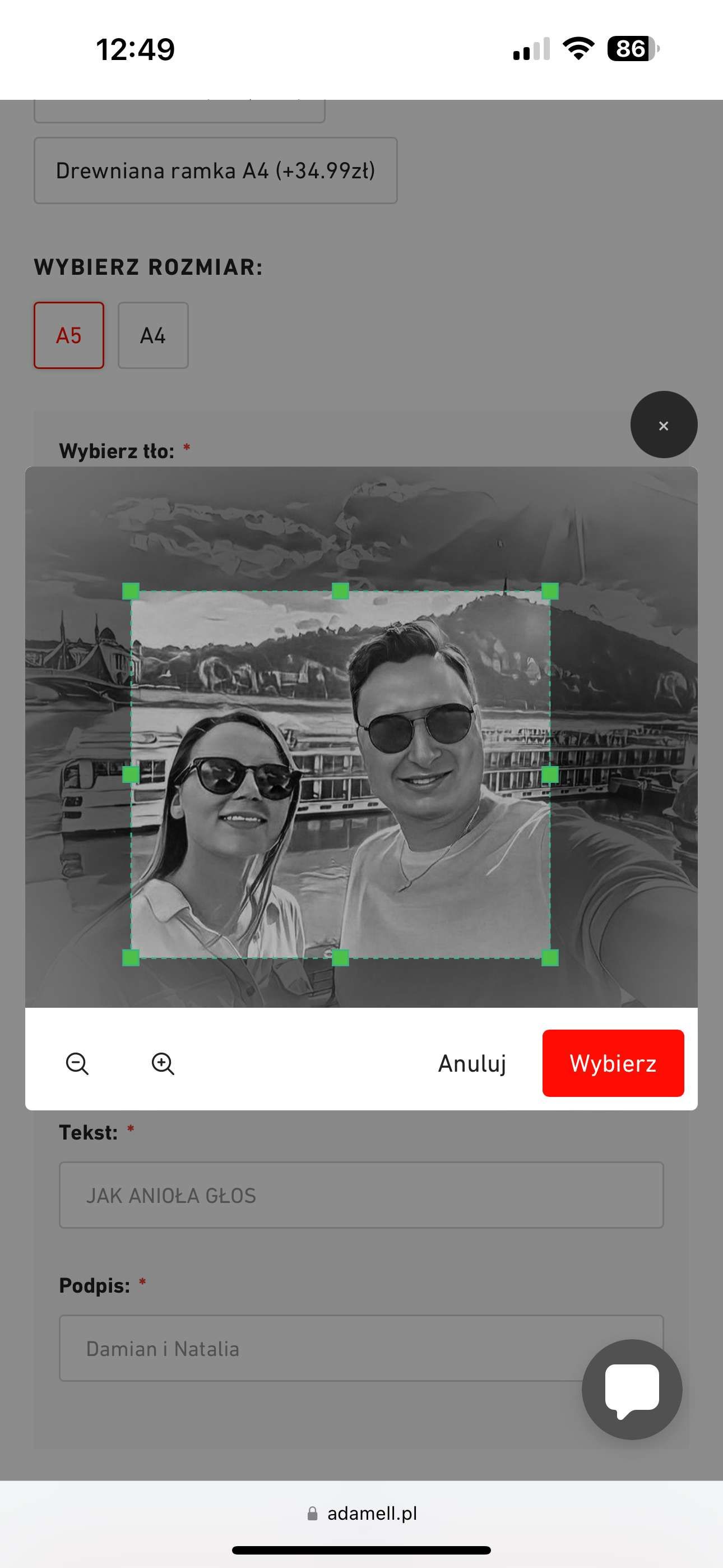
I'm losing a lot of money because you don't have a feature like TeeInBlue. Check screenshot and images my clients. Your photo navigation buttons are a bad idea, please review this feature. In teeinblue, this function works better, and there are no marriages. Many customers ask to send a new item and say it's not their fault. I agree, the customer is always right. We have a lot of extra work because of this. !!!*** this urgently needs to be improved.

Aug 3, 2023

The last screenshot is from teeinblue, where such an error is excluded and the client immediately sees how his photo is cropped.

May 16, 2023

Thank you Kirill Apkalikov for sharing your feature suggestion with us! We understand your concern about the image being scaled down and leaving blank spaces if it's smaller than the placeholder. We will carefully review your suggestion and assess its feasibility for future updates.

Aug 3, 2023

Augusto D'Amario: please check my comment

Aug 4, 2023

Vasyl Adamyk: Hello there! We are currently delving into the details of the case.

Aug 4, 2023

Augusto D'Amario: Thank you, waiting for information, it is very important for my company.

Aug 8, 2023

Augusto D'Amario: Hello. Please tell me, have you discussed this issue?

Aug 8, 2023

Vasyl Adamyk: We've recently contacted you via email. Kindly take a moment to have a look.