
Apr 7
Suggestion to Improve AI Waiting Experience: Add a Processing Popup to Reduce User Drop-Off
I would like to share a suggestion regarding the user experience of AI-related features.
I’ve noticed that some newer personalization tools use a popup or overlay while AI features are processing. This helps clearly communicate that the system is still working, reduces uncertainty during the waiting period, and lowers the likelihood of users exiting before completion.
For example, on this Wander Prints personalized product page:
https://wanderprints.com/collections/all/products/custom-pho…
you can see how the customization flow considers user pacing and waiting experience, which could be a useful reference.
Based on this, I’d like to suggest that Customily consider adding a more visible processing popup during AI generation, such as a message like “AI is generating, please wait.”
I believe this could help in several ways:
Clearly inform users that the system is actively processing;
Reduce the chance of users abandoning the page due to waiting anxiety;
Improve the overall user experience and AI feature completion rate.
This is simply a product experience suggestion, and I hope your team can evaluate whether it would be feasible. Thank you.
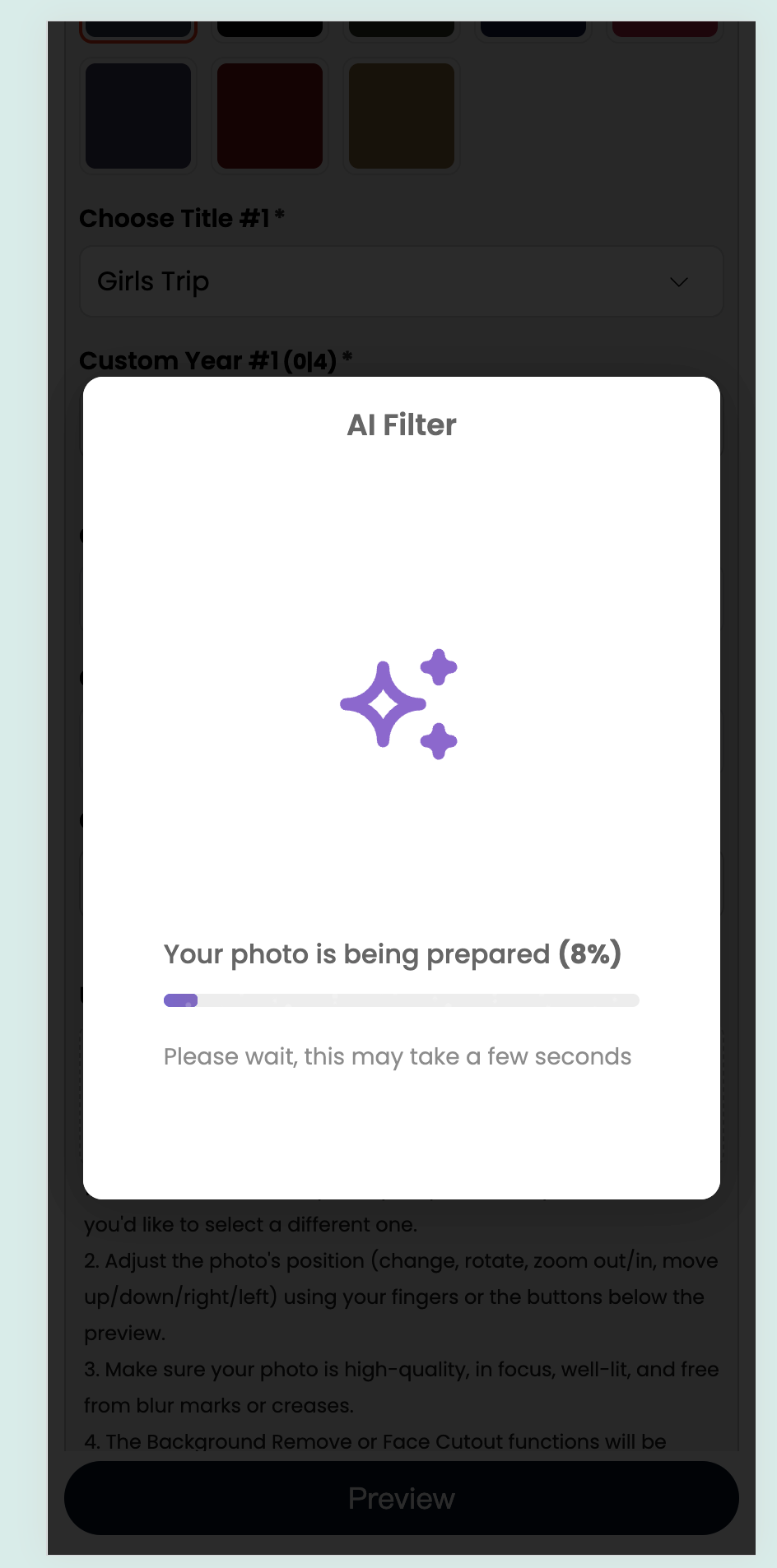
In Progress
Hey! Sent over an email asking a few questions about this feature request, wanted to follow up to see if you had a chance to ponder over it. We’re currently exploring the best way to approach it, and I wanted to take the opportunity to get your input as we shape the solution. One approach we’re considering is showing a progress indicator directly within the Image Upload option while the image effects are being processed. This would give shoppers clear feedback that the process is still running, while allowing them to continue interacting with other options in the meantime. I'm attaching an example.