In-App Features

Calendar posibilities

2y agoCompleted

Currently, the calendar templates are in mm/dd/yy format. It would be great to also have the option to display them in dd/mm/yy format. On the other hand, the weeks start on Sunday, and it would be interesting to have the option to start them on Monday as well.
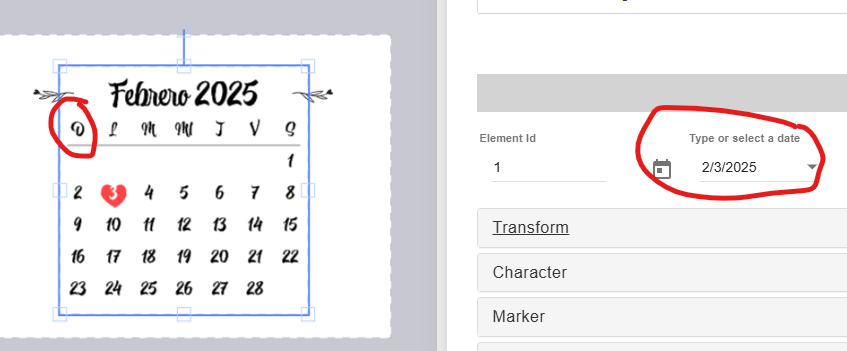

  • img/mgx4ufkvks19v6jx0zr816l7
and 5 others

7 comments

  1. belen, and everyone—great news! 🎉 You can now start your calendars on Monday! 📅✨

    • img/h7pi2gfjk4hdrgo3eduix32g
    1. belen2y ago

      Augusto D'Amario GREAT! thank you!!!

  2. Update: Hi belen, and everyone. We will allow the calendar to start on Monday. Stay tuned!

  3. Hello and everyone! Thanks for bringing that up. We’ll be adding a setting to start on Monday in the near future. Stay tuned!

    1. belen2y ago

      Augusto D'Amario thank you!!

  4. Hello belen! Thank you for your feedback. The date picker format should automatically adapt to the buyer's location in the storefront, as shown in the screenshot below (e.g., in Spanish). Please let us know if it's not displaying correctly.

    Also, we will consider adding a setting to start the week on Monday.

    • img/rk18ibp0oohw1dj9nmpok7q1
    1. belen2y ago

      Augusto D'Amario Indeed, once the template is connected to the product, the date format is dd/mm/yy. Thank you so much!