
🧾 New: Pricing Summary App Block (Shopify)

Give your customers a clear, real-time breakdown of what they’re paying right on the product page.
Our new Pricing Summary app block is perfect for products with add-ons or personalization, where the final price depends on the shopper’s selections. As options change, the summary updates instantly, so there are no surprises.
What it shows:
-
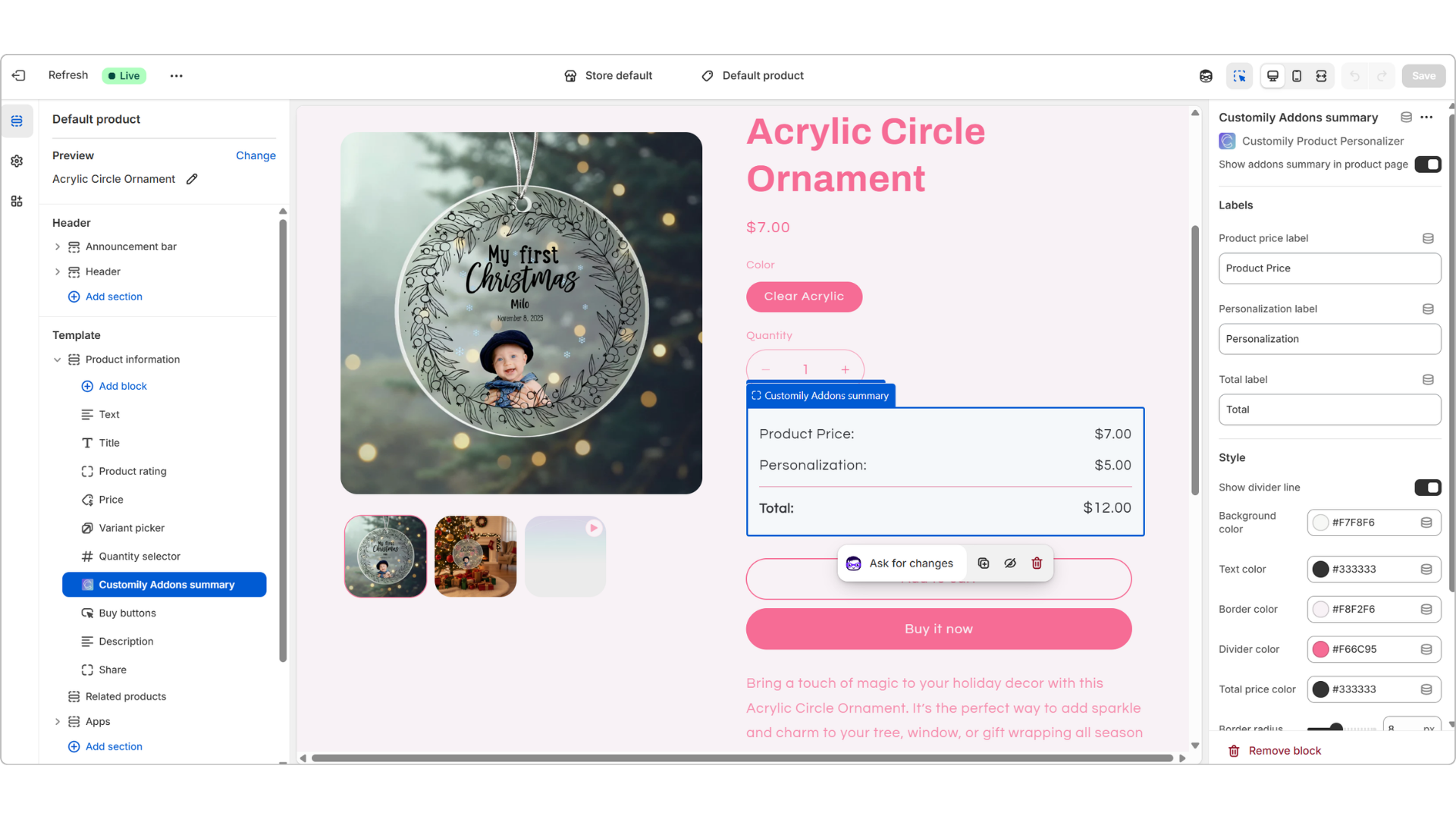
Product price + Personalization (add-ons)
-
Total price
Fully customizable:
-
Edit the labels (Product price, Personalization, Total) directly in Shopify
-
Style it however you like, including colors, border radius, spacing, and more, so it matches your theme
How to set it up:
- In your Shopify theme editor, look for “Customily Addons Summary” and add it above your Add to Cart button
-
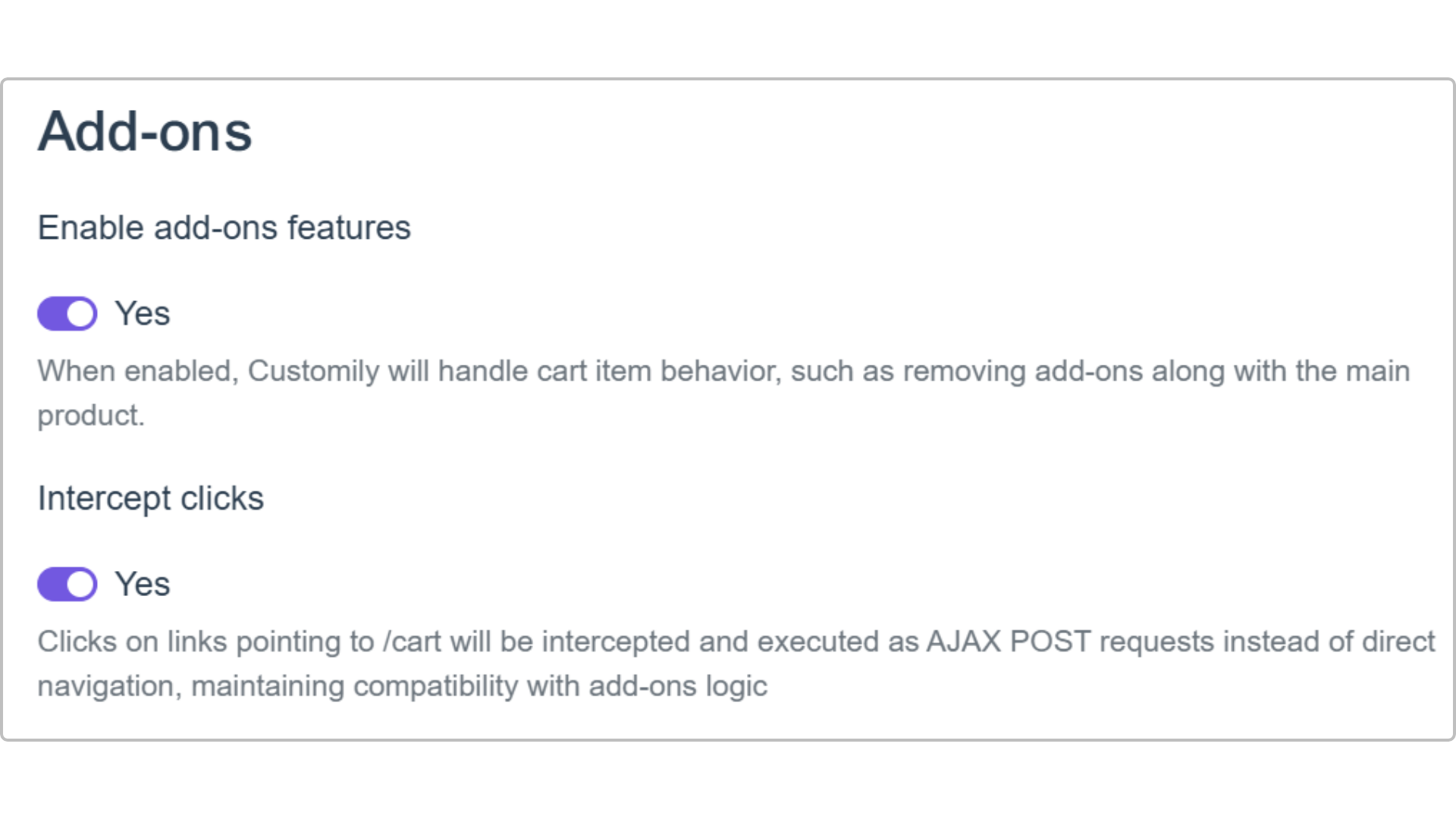
In the Customily app, go to:
Store Settings → Advanced → Add-ons-
Enable “Enable add-ons feature”
-
Enable “Intercept clicks”
-
Keep in mind:
- Available for Shopify stores only (App Block)
Make pricing transparent and easy to understand so your customers can confidently complete their purchase.