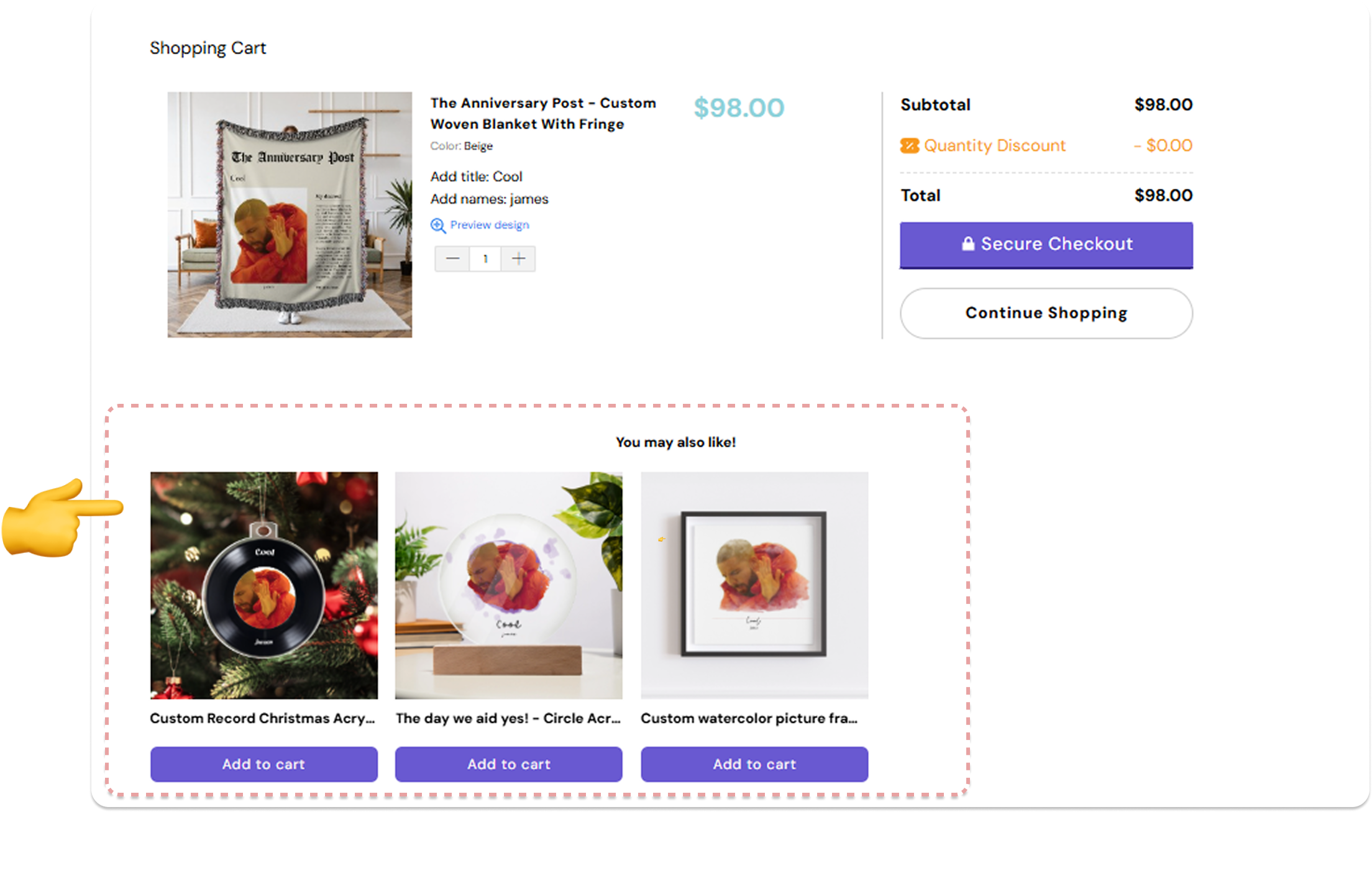
📢 Cross-Selling! Offer Related Personalized Products in the Cart 🎁🛒
🛍️ Now available in Customily for Shopify stores!
⚙️ What it does
-
It allows you to cross-sell in the cart by automatically offering related products that are already personalized when a customer adds a personalized item to their cart.
⚙️ How to Set It Up
-
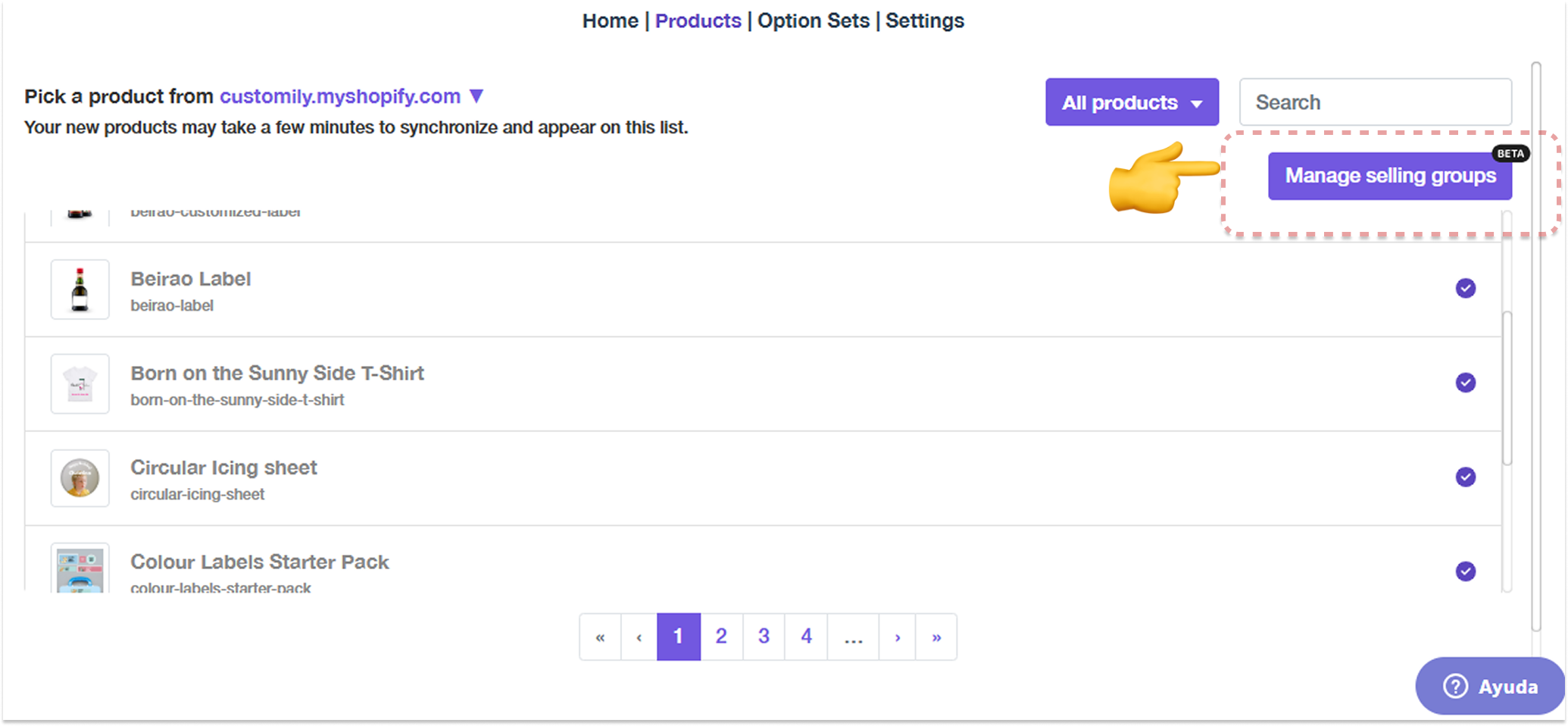
Go to Store > Products > Selling Groups.
-
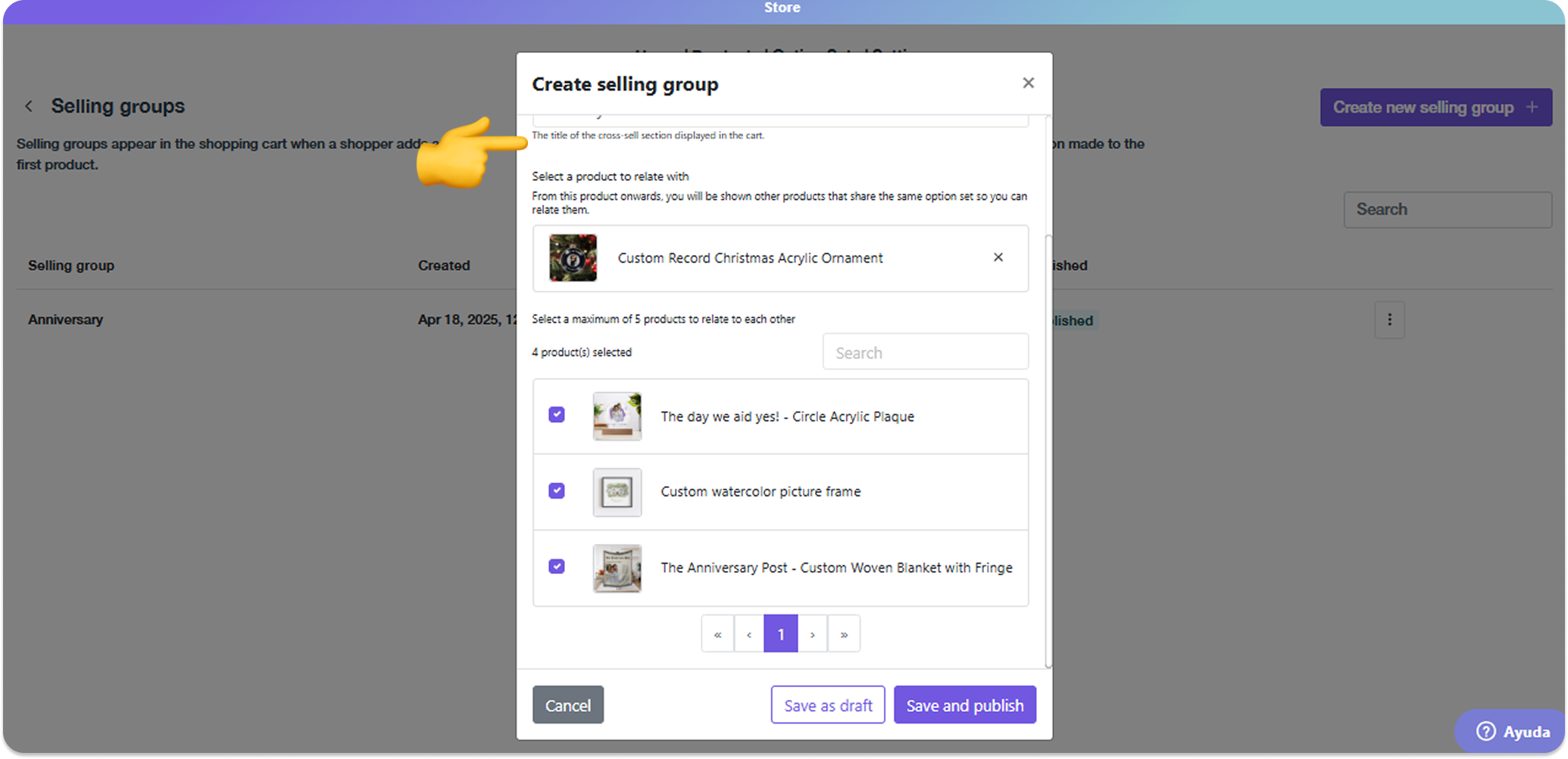
Add the first trigger product and select the related offer products.
-
All products in the group must *share *the same Option Set
-
Any product can act as a **trigger **or an offer.
-
Assign a Group Name (internal) and a section **Title **(shown in cart).
-
*Publish *the Selling Group.
-
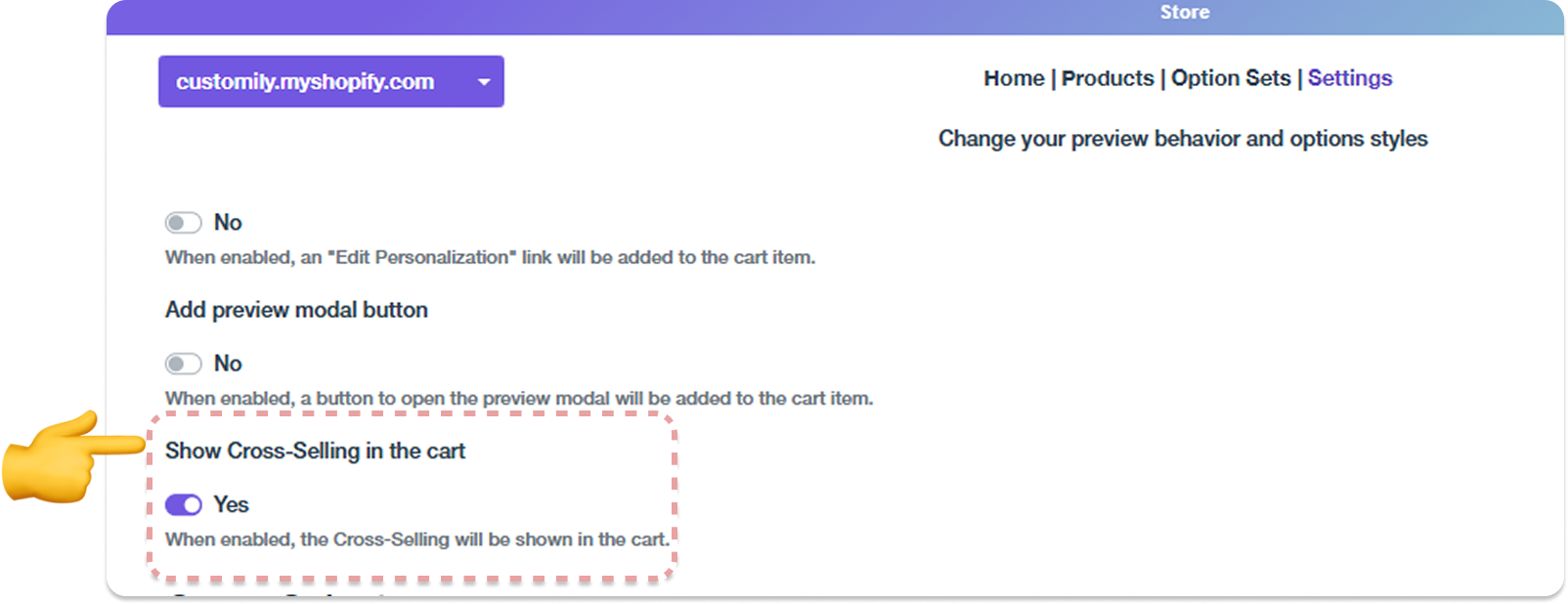
One-time setup: ensure 'Show suggestions in the cart' is enabled under Store Settings > Advanced.
Storefront
Store > Products: Manage selling groups
Setting up and publishing
Global setting