
Groups for Layers and Layouts

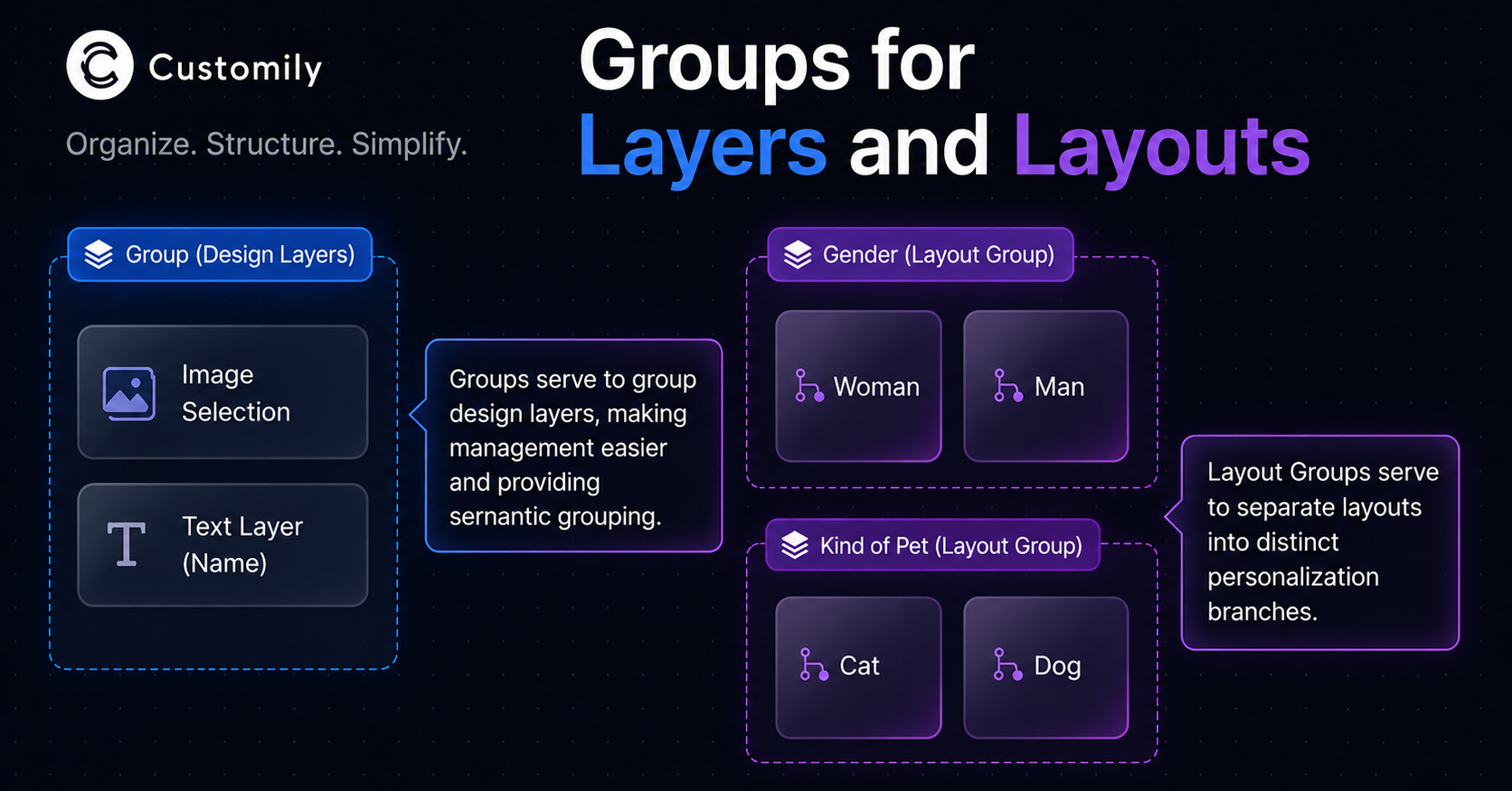
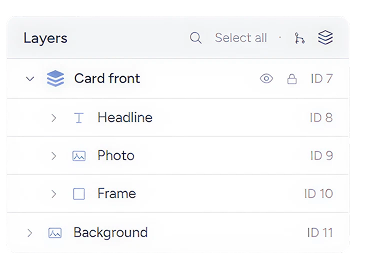
We've added Groups, a new way to organize your templates. Select multiple layers and group them to move, copy, duplicate, lock, or hide them together, just like grouping in any standard design tool.
Group any layers
Select any set of layers and group them. A Group moves, copies, locks, and hides as one, so all the layers that make up a single element, like a product card or a logo lockup, stay together as you edit instead of drifting apart. Toggle visibility or lock the whole Group from a single row.
🚀 But for Layouts… Groups change the game 👇
The old way: one flat list
Until now, every Layout at the same level was treated as a single option set, with no way to express that some of them belonged together. A template with Layouts for Woman, Man, Dog, and Cat generated one flat option: a single dropdown listing all four, as if the customer had to pick between them all at once. But the real decision was two separate ones: gender, and pet type.
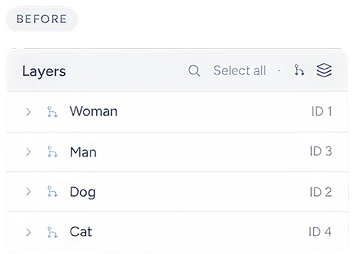
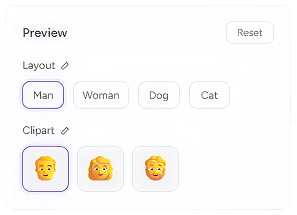
That flat structure carried straight into option-set creation and, in turn, to the buyer's screen: a single generic "Layout" question showing Man, Woman, Dog, and Cat side by side, with no logical grouping for the customer.
The new way: group it like you mean it
Now you can group Layouts semantically right inside the template, and that structure carries over to option-set creation. Each Layout Group becomes its own node tied to a question in the option set, so the grouping you build in the template is exactly what your customers see when personalizing. As a bonus, the Group's name becomes the option's label automatically, with no renaming needed.
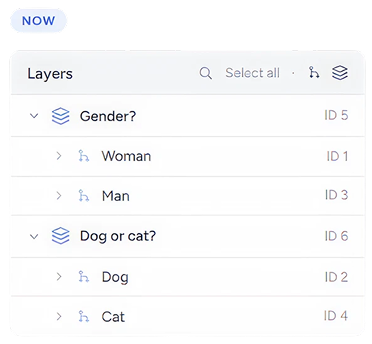
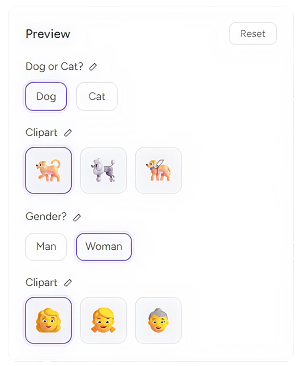
The option set creation results in two clean questions, 'Dog or Cat?' and 'Gender?', each showing only its own options and each labelled by its Group name
🎁 BONUS**:** Nest as deep as you need
This also unlocks N-level Layouts: Layout Groups can live inside other Layout Groups with no fixed limit on depth, so you can model more complex, multi-step personalization logic directly in the template structure.
🔄 Quick refresher
Layouts let you split a template into sections that show or hide depending on which option a customer picks, so layers automatically appear or disappear based on the personalization choices made on a product.