
🖼️ Multi-Image Upload

We’ve introduced a new option type that makes image uploads a lot simpler for both you and your shoppers.
With Multi-Image Upload, you can now handle multiple image uploads from a single option, reducing setup complexity and improving the personalization experience. Previously, each image upload required its own option with a single upload field. This could quickly become overwhelming, especially for products that required multiple images like collages.
Now, you can group everything into one streamlined option, making the flow faster and more intuitive.
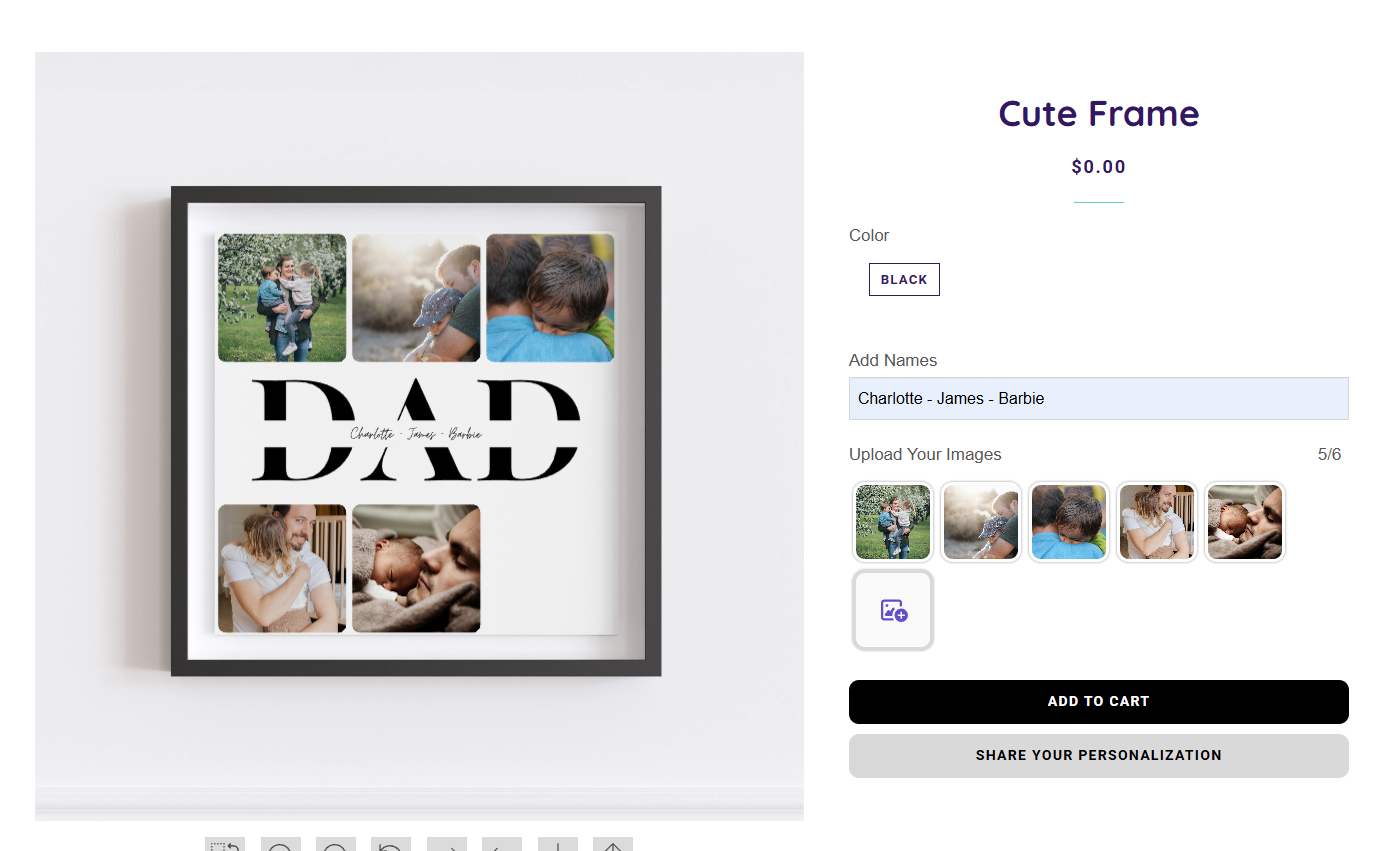
What’s new?
-
Upload multiple images at once from a single option
-
Assign multiple Image Placeholder IDs to that option
-
Shoppers can add, remove, and swap images easily
This is especially useful for products like photo collages, where multiple images are part of the design.
How to set it up
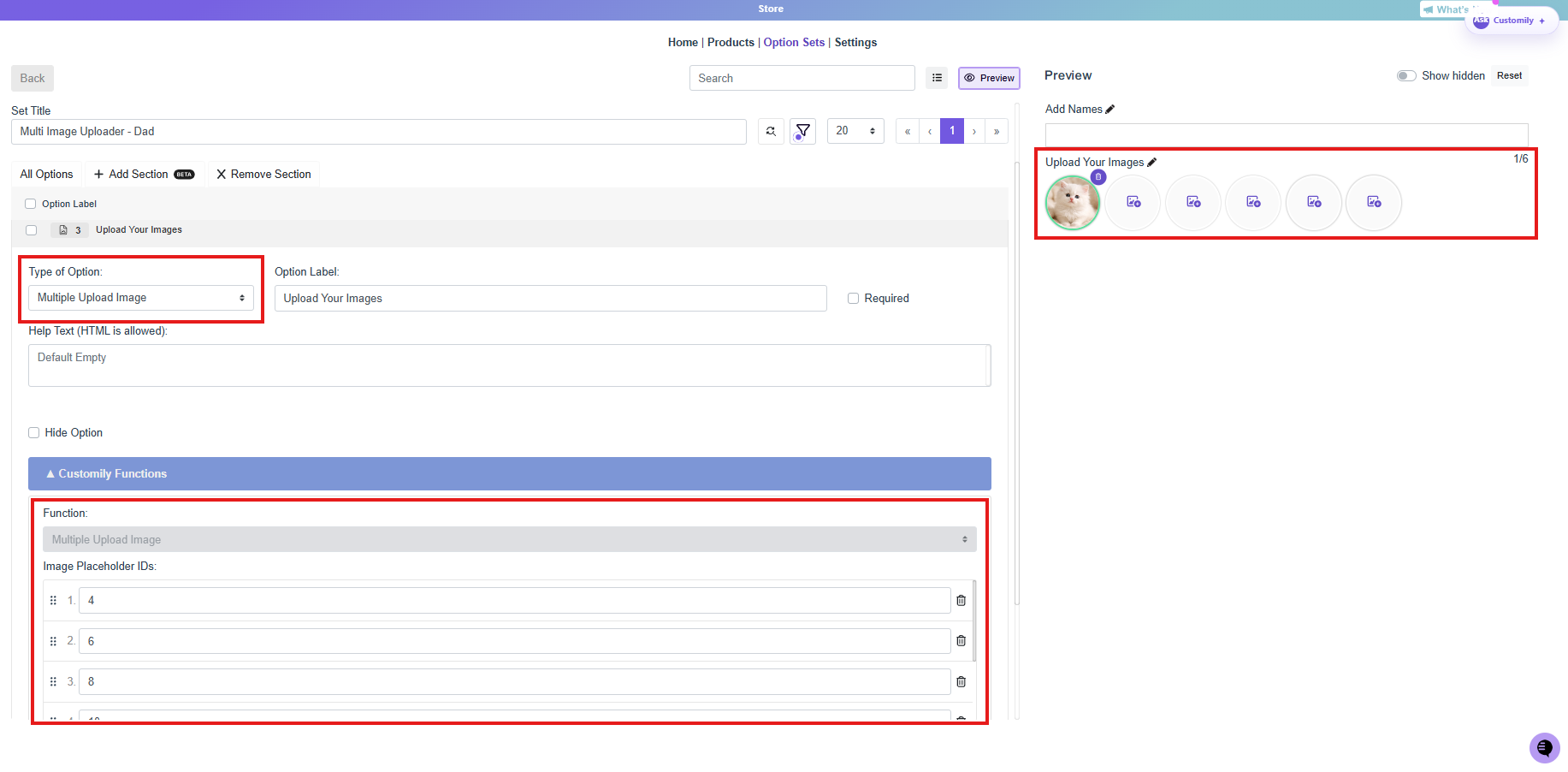
In the Option Set:
-
Create a new Multiple Upload Image option
-
Under Customily Functions, add all the Image Placeholder IDs that match your design
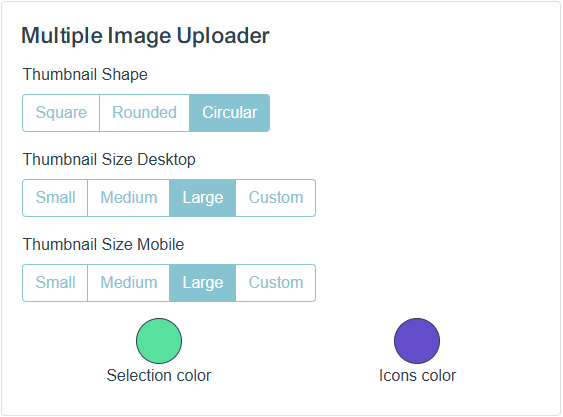
Store Styles:
-
Customize thumbnail shape
-
Set thumbnail size for desktop and mobile
-
Adjust selection and icon colors to match your store theme
That’s it! You’ll have a single option handling as many image uploads as needed, reducing friction and simplifying the personalization flow for your shoppers.