
Navigation Buttons for Sections

We recently introduced Sections for Option Sets, and now you can further style how these groups appear on your storefront.
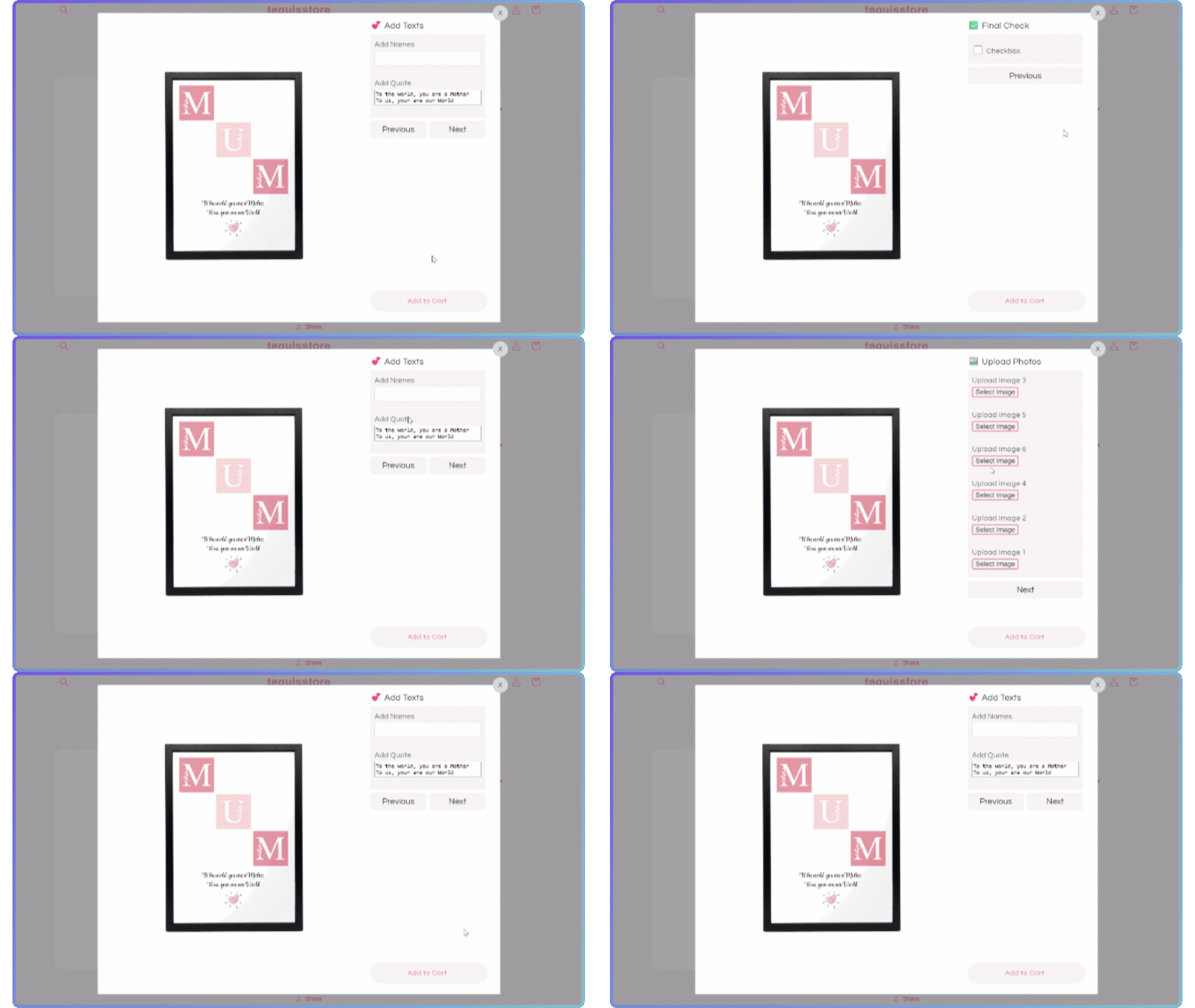
To help create a step by step personalization experience for your shoppers, we’ve added a new Navigation Buttons setting, available in your Store Settings.
Navigation Buttons
Sections can now be shown one section at a time, allowing you shoppers to navigate between them with next and previous buttons.
Set this up by adding sections to a product's Option Set, and enabling Navigation Buttons in your Store Settings / Styles / Section Styles.
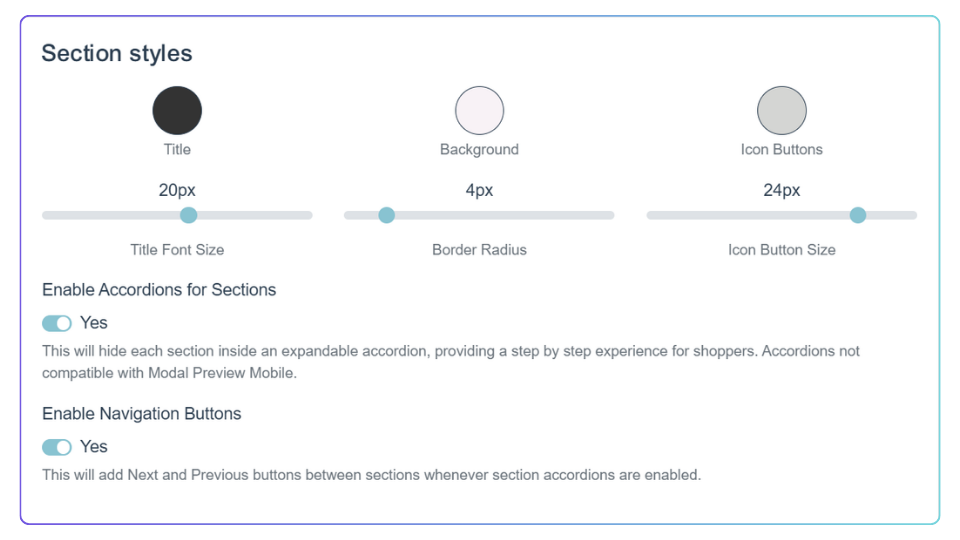
A quick note: Navigation Buttons will not implement any changes to Mobile Modal Preview Style, since that mobile layout already includes navigation buttons.
Currently available for Shopify stores.