New: ✨ Smart Face Placement for Face Cutout Effect


"One size does not fit all", and that's especially true for the Face Cutout effect. Faces with long hair, hats, or voluminous styles result in different face sizes and positions once the shopper uploads their photo.
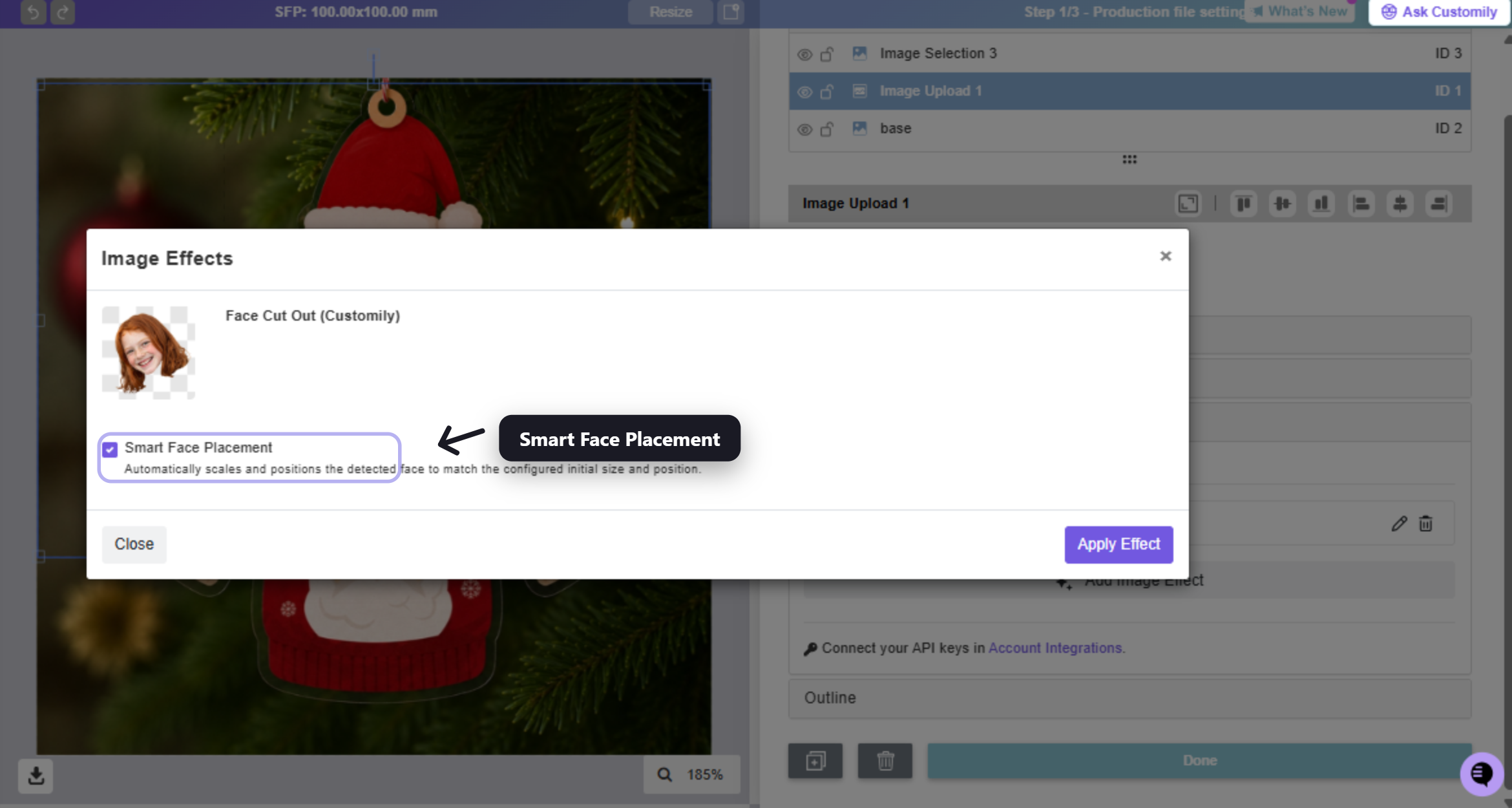
That's all in the past. The Face Cutout effect now includes a Smart Face Placement feature that automatically adjusts the face position and size to fit your design perfectly.
This means:
-
✅ A better shopper experience out of the box.
-
✅ Fewer fulfillment adjustments on your end.
-
✅ Less risk of returns due to unexpected result.
It works with:
-
🌐 All platforms
-
✂️ Face Cutout by Customily — FREE
-
✂️ Face Cutout by Cutout Pro
How to set it up.
-
Turn on 'Smart Face Placement' in the Face Cutout effect.
-
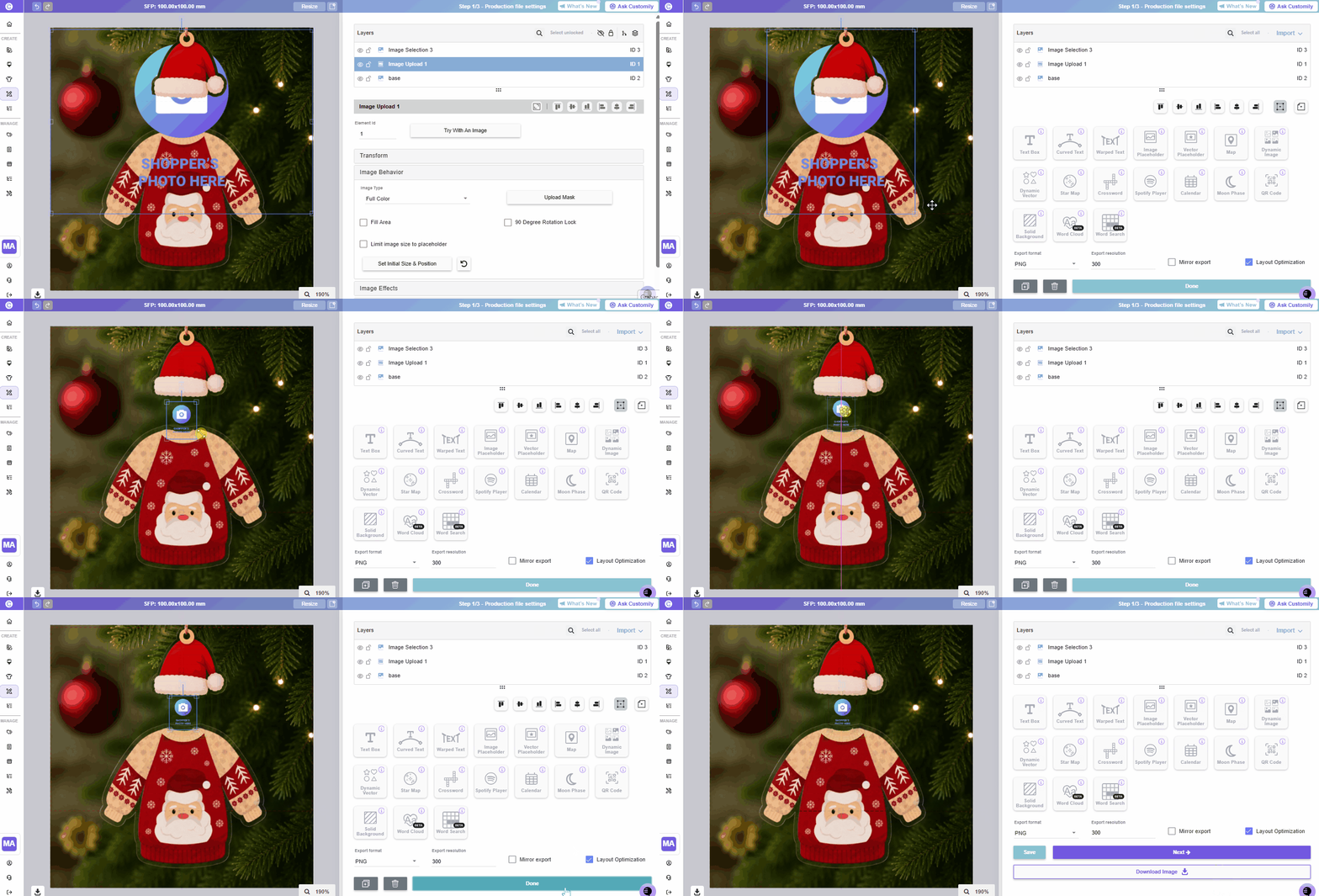
Adjust the image's Size and Position to match the facial area placeholder.
-
Test with several photos and fine-tune until you find the optimal size and position for your design.