👁️🔗Preview Link for Thank You and Order Status Pages on Shopify!
You can now add a personalization preview to your Thank You and Order Status pages in Shopify!
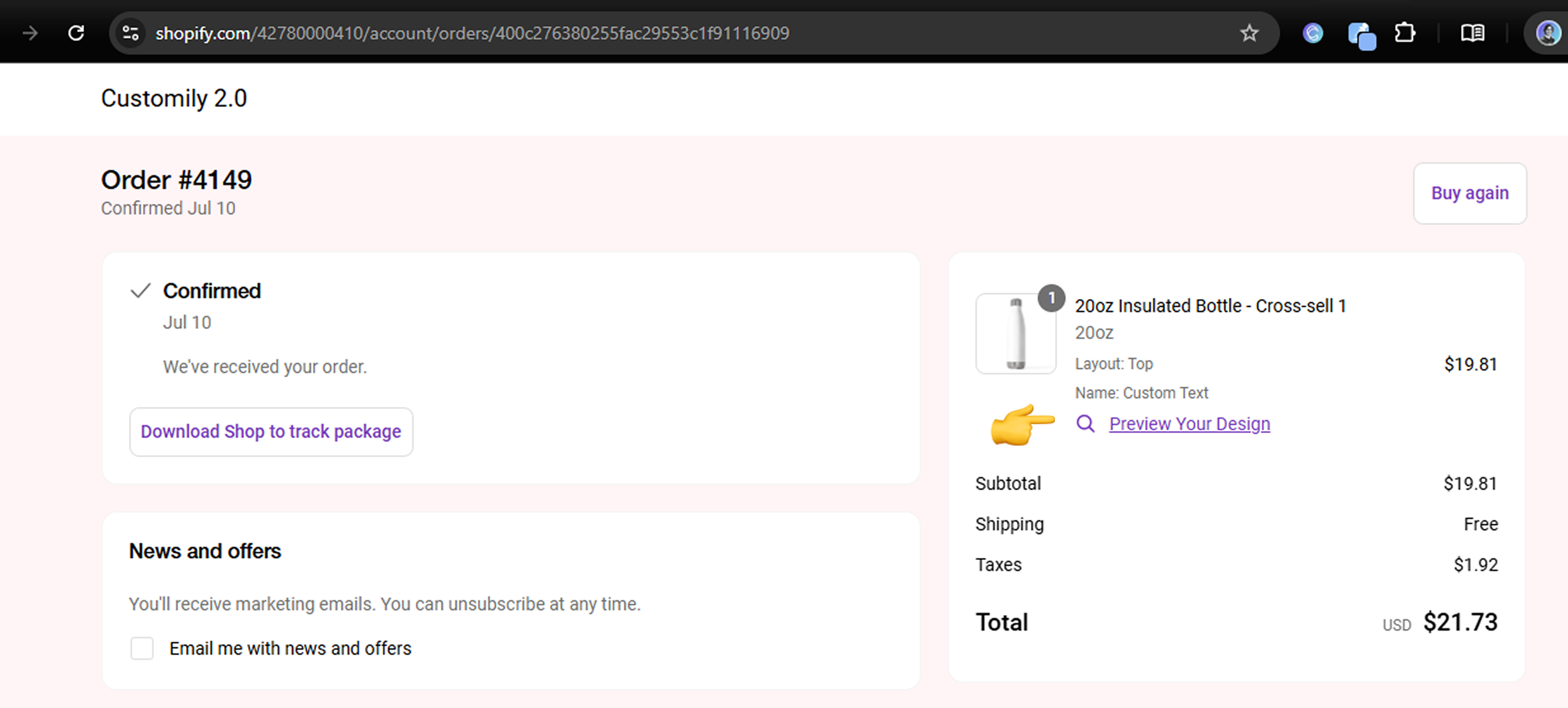
When enabled, buyers will see a visual of their personalized product right after placing the order — reinforcing confidence and reducing post-purchase questions.
🛍️ This helps:
-
Reinforce buyer confidence
-
Reduce “What did I order?” questions
-
Improve post-purchase experience
💡 The preview is shown automatically when the order contains a Customily item with saved personalization.
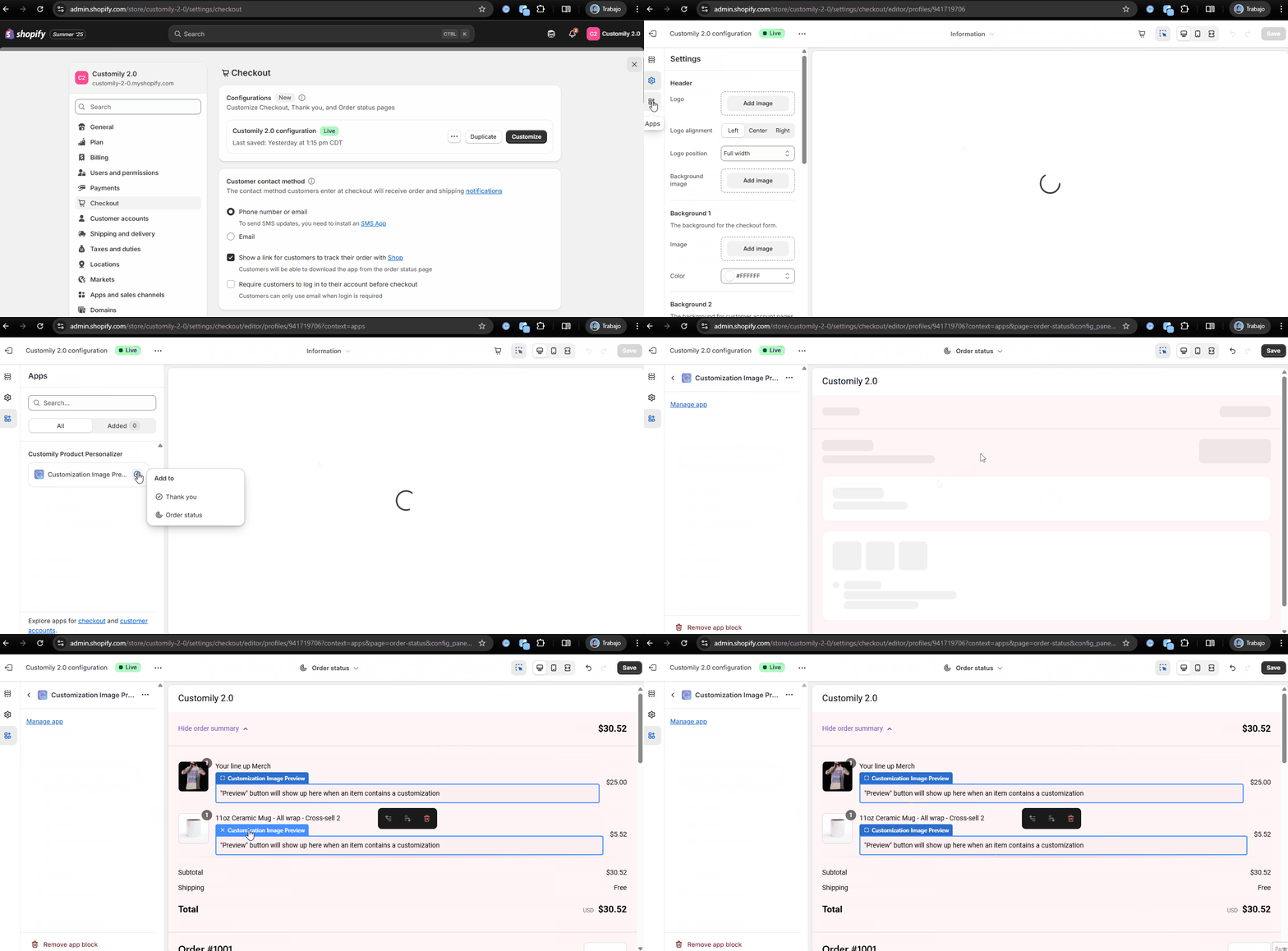
⚙️ How to enable it:
-
Go to your Shopify admin → Checkout > Customize
-
Open your active configuration (e.g. Customily 2.0 configuration)
-
In the Apps section, drag the Customization Image block into:
-
Thank you page
-
Order status page
Also, check out the help article for the setup guide.
📸 Here’s how it looks once enabled:
Here’s how to enable it visually.