
📊 Customizable Progress Bar for Multi-Step Personalization

Agustina OuvinaProduct Manager
Guide customers through the personalization process with a progress bar that updates as they complete each step.
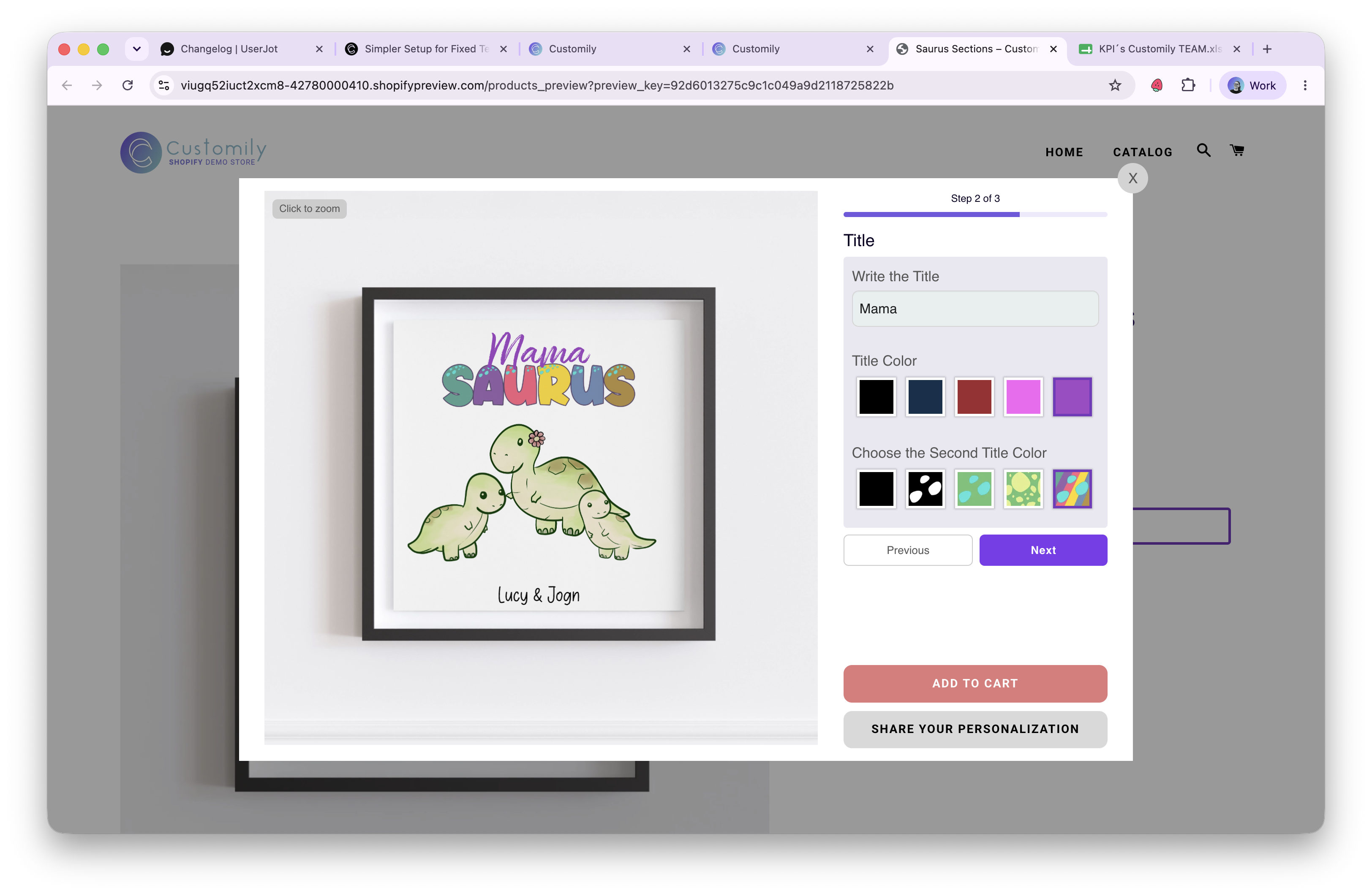
When using Sections (option groups), you can now display a progress bar that reflects the customer’s progress throughout the personalization flow. As each section is completed, the progress bar advances automatically.
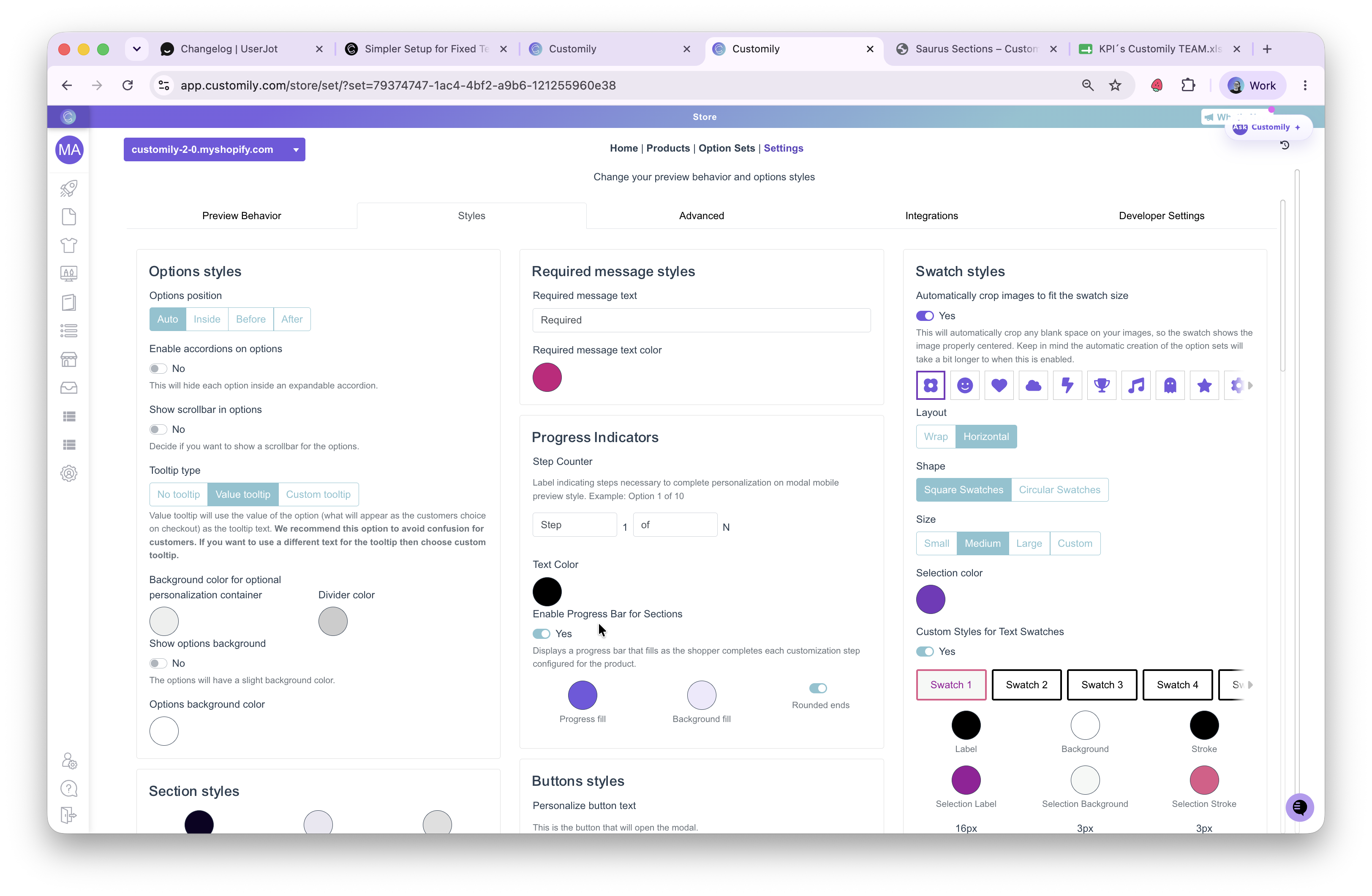
To enable it, go to: Store Settings → Styles → Progress Indicators
From there, you can turn the progress bar on or off and customize its appearance to match your store’s branding.
⚠️ Keep in Mind:
-
Only compatible with option sets that use Sections.
-
Currently available for Shopify stores only.