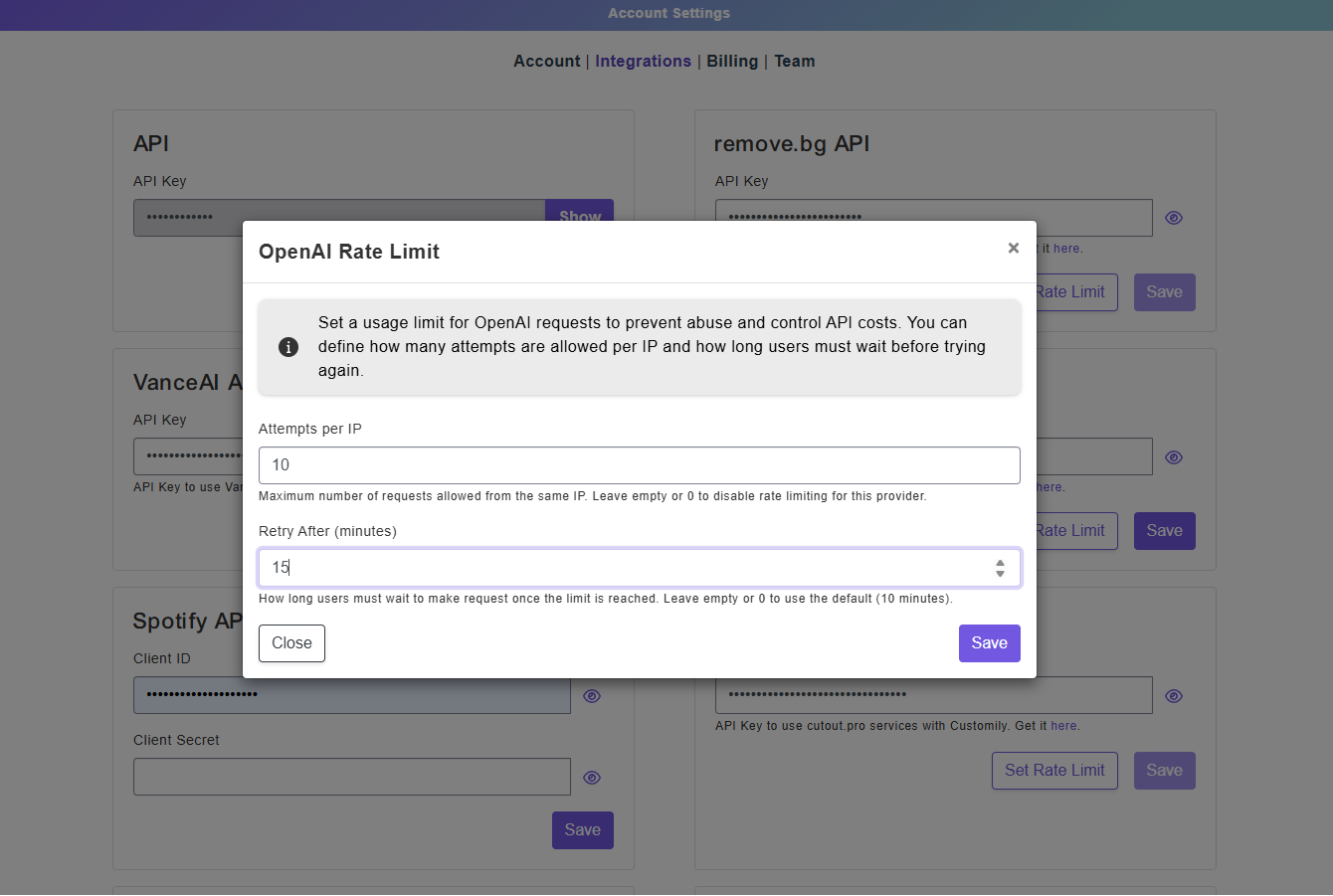
Rate Limit for AI Integrations

You can now set usage limits for AI-powered integrations like OpenAI, Google Gemini, OpenRouter, Cutout Pro, and more.
This new Rate Limiter helps prevent abuse, bot activity, and unexpected API overuse on your products using Image Effects.
How it works
Rate limits are configured individually per integration.
For each provider, merchants can define:
-
Attempts per IP: how many requests a shopper can make
-
Retry After (minutes): how long that shopper must wait before trying again
Once the limit is reached, shoppers will see a message asking them to retry after the configured amount of time.
Where to set it up
Go to: Account Settings → Integrations → Select an AI Provider → Set Rate Limit
This gives you more control over AI usage and helps protect your API credits from spam or excessive requests.