🔄 Restoring a Template Version
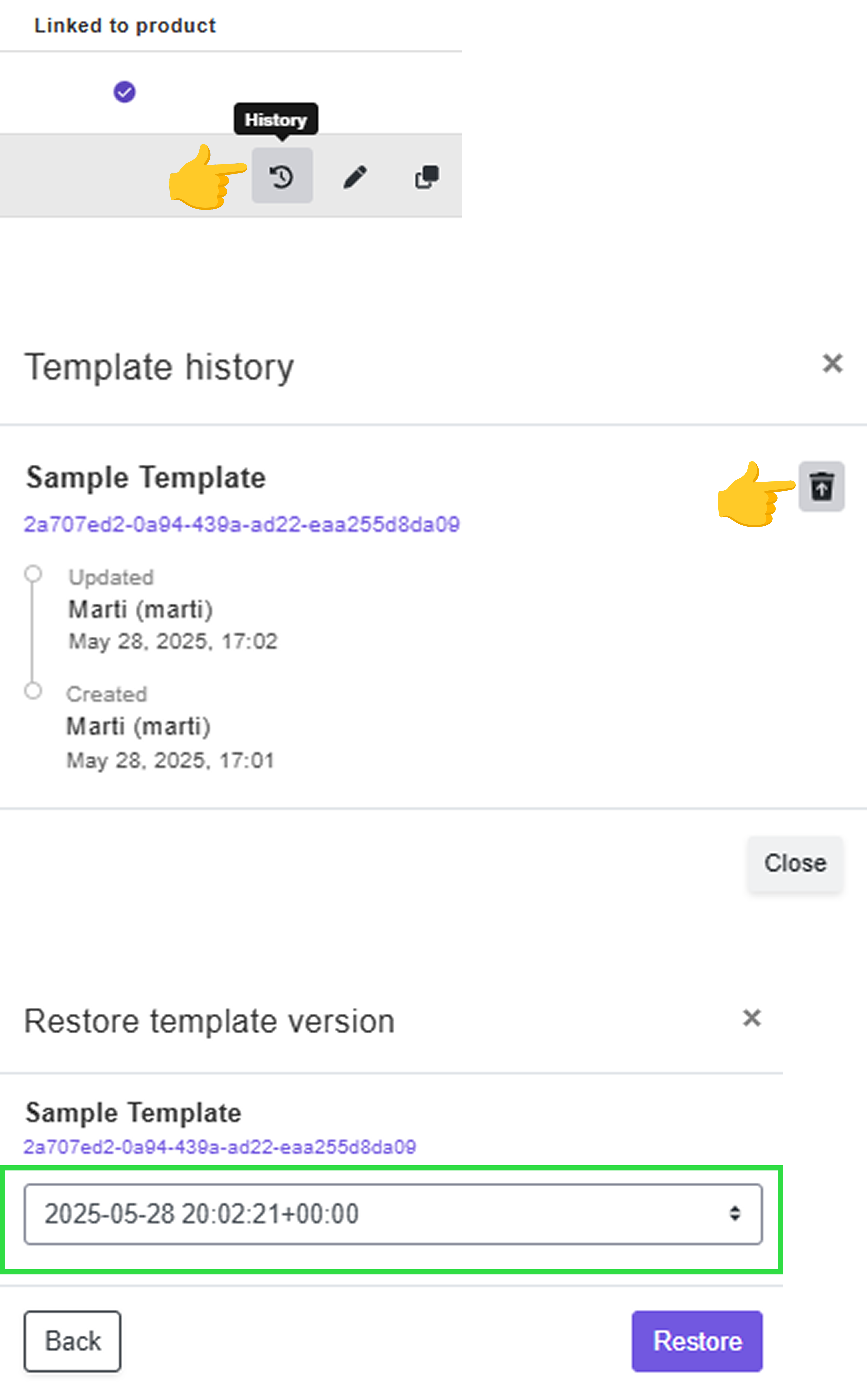
You can restore a previous version of a template at any time using the Template History feature 🕘.
Whether you accidentally break a template 🧩 or simply want to go back to an earlier version ⏪, it's easy to retrieve it.
How it works:
-
Open the Template History to view the list of available versions.
-
Select the version you want to restore.
-
A new template will be created based on the selected version.