
Swatch Layout Options

We’ve added more flexibility to how your swatches are displayed, helping you make better use of space in the personalization flow.
What’s new?
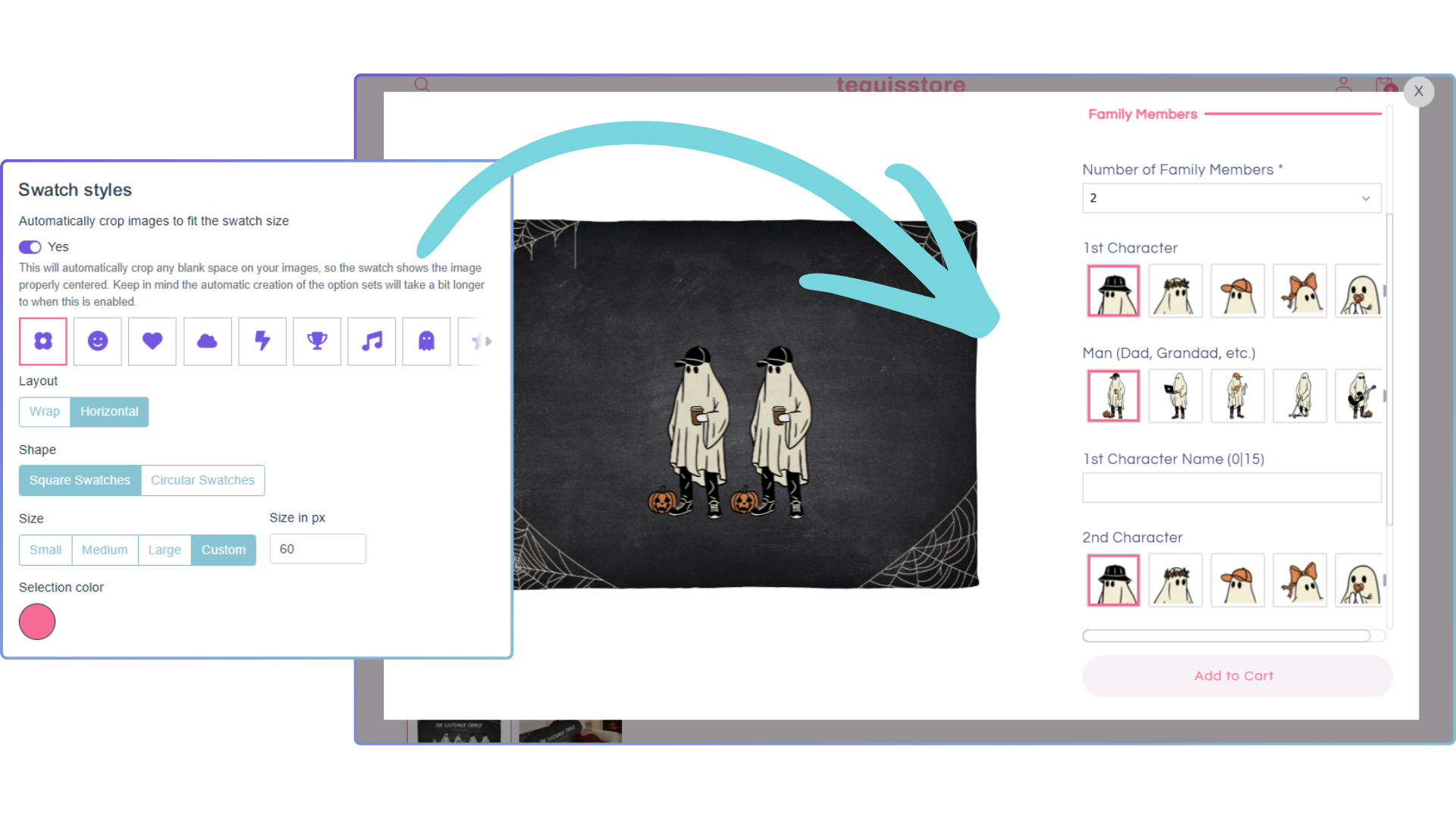
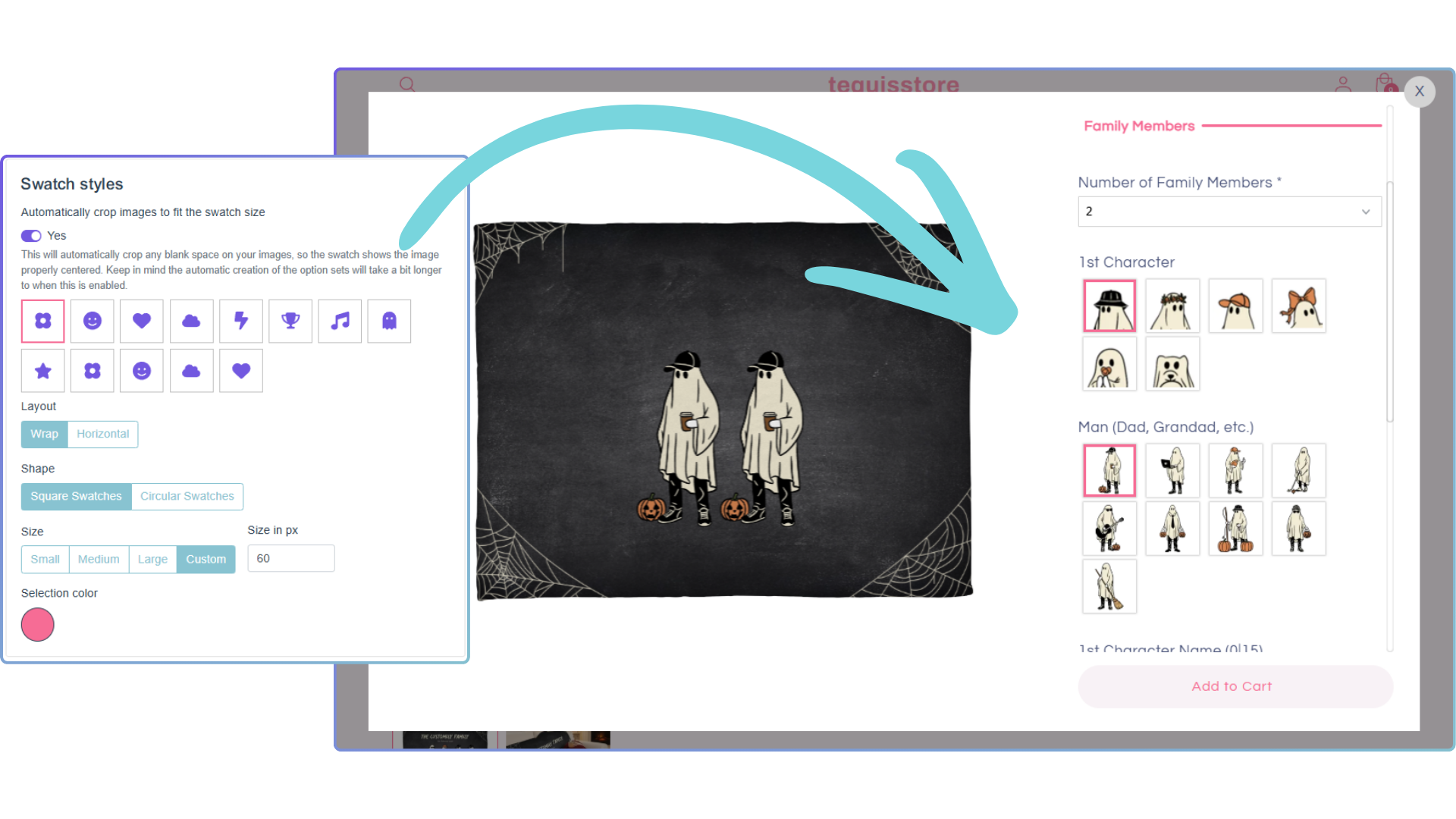
You can now choose between two layout styles for both color swatches and text swatches:
-
Wrap: the classic layout, where swatches flow into multiple rows
-
Horizontal: a side-scrolling carousel that keeps everything in a single row
Why this matters: The new horizontal layout helps reduce vertical space, making the customization experience cleaner and easier to navigate, especially for products with many options.
Bonus ✨
We’ve also added a live preview in settings, so you can clearly see how your swatches will look before applying changes.
How to set it up
-
Go to Store Settings
-
Navigate to Styles → Swatch Styles
-
Choose your preferred Layout: Wrap or Horizontal
Simple as that. More control, cleaner layouts, better experience.