
Pattern Repeat for Text Box Elements

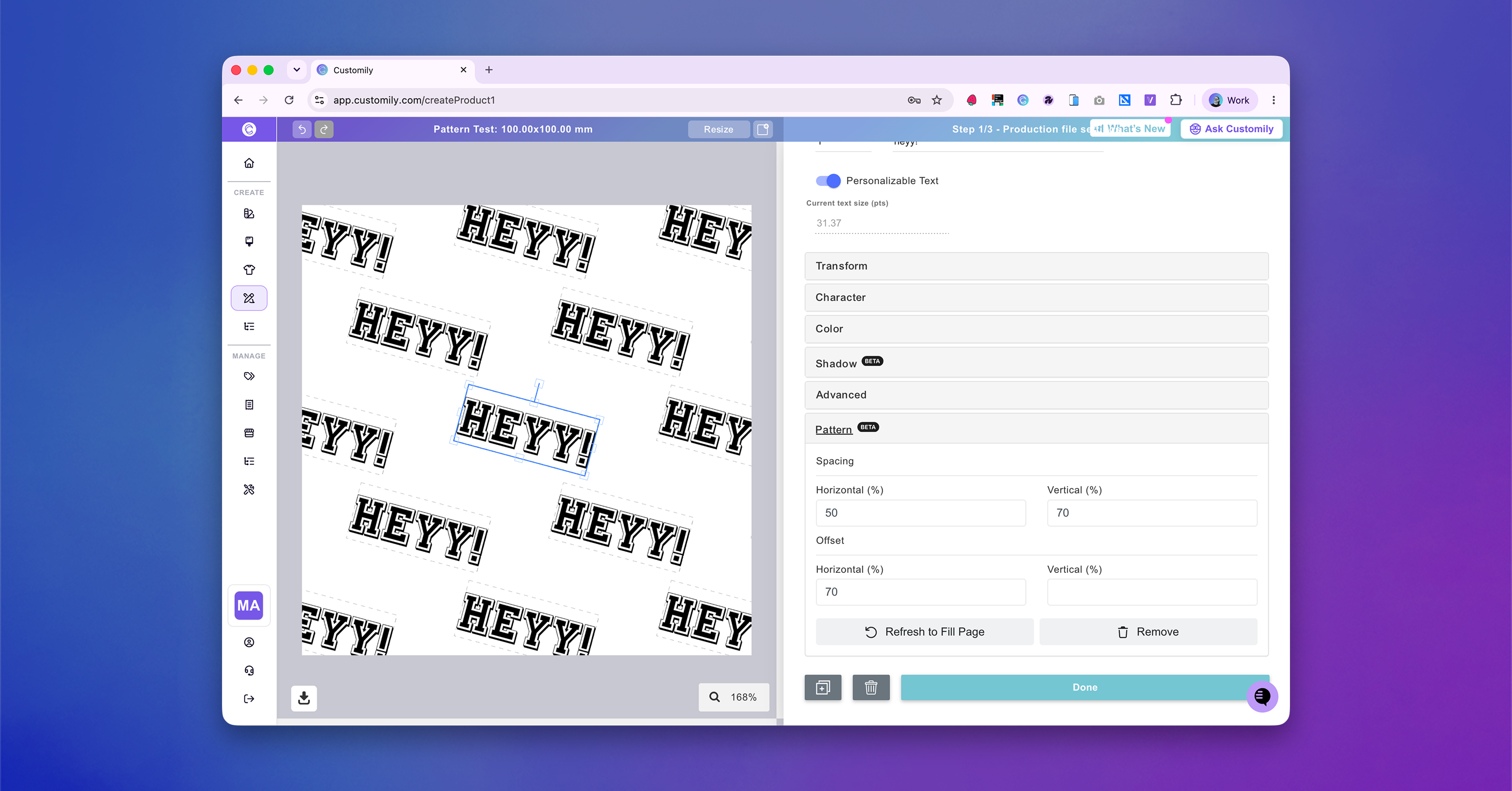
Create repeating text patterns across the entire canvas in just a few clicks.
What's new
-
Added a new Pattern section when selecting a Text Box element.
-
Generate a pattern that automatically centers the selected text and fills the entire canvas with linked duplicates.
-
Adjust the spacing between pattern instances to customize the layout.
-
Use Refresh to Fill Page to regenerate missing instances after resizing the base element.
How it works
-
Pattern instances stay linked to the original Text Box.
-
Changes to the base element (text, colors, shadows, styling, etc.) are automatically applied to every instance in the pattern.
-
During Step 1, pattern instances can't be edited individually to preserve the pattern.
-
In Step 2, pattern instances become regular elements and can be moved, unlocked, or edited independently.
Current limitations
-
Available only in Templates (Designs support coming soon).
-
Supports regular Text Box elements only for now.