
Simplify Text to Image Personalization

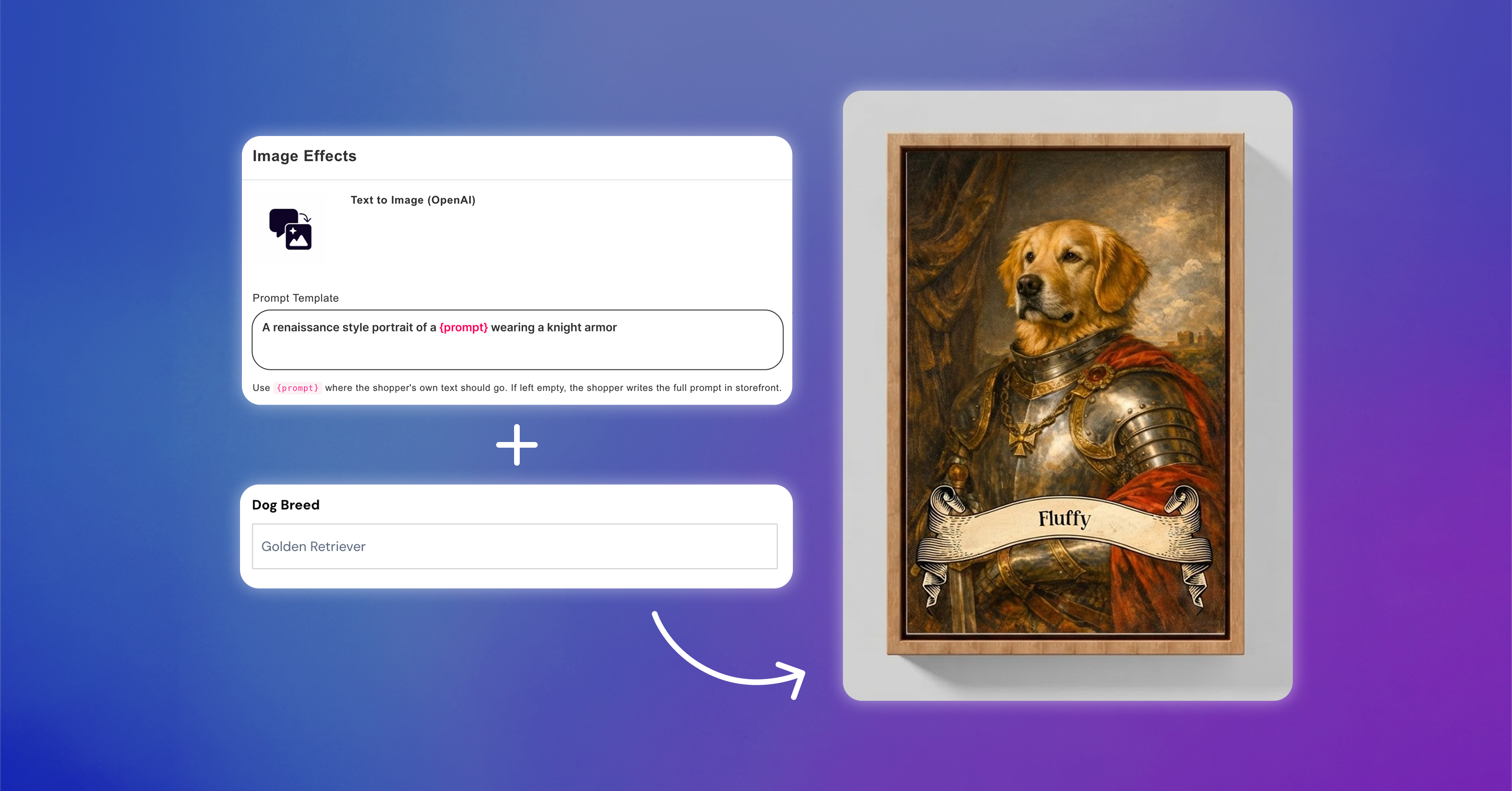
You can already use Text to Image effects on Image Placeholders to let shoppers create personalized images directly from your storefront.
Previously, shoppers had to write the entire prompt themselves, which made the experience quite open-ended and required them to know exactly what to ask for to get the desired result.
Now, store owners can set a predefined prompt directly on the Text to Image effect. You can use {prompt} to indicate where the shopper's input should be added, while keeping the rest of the instructions predefined.
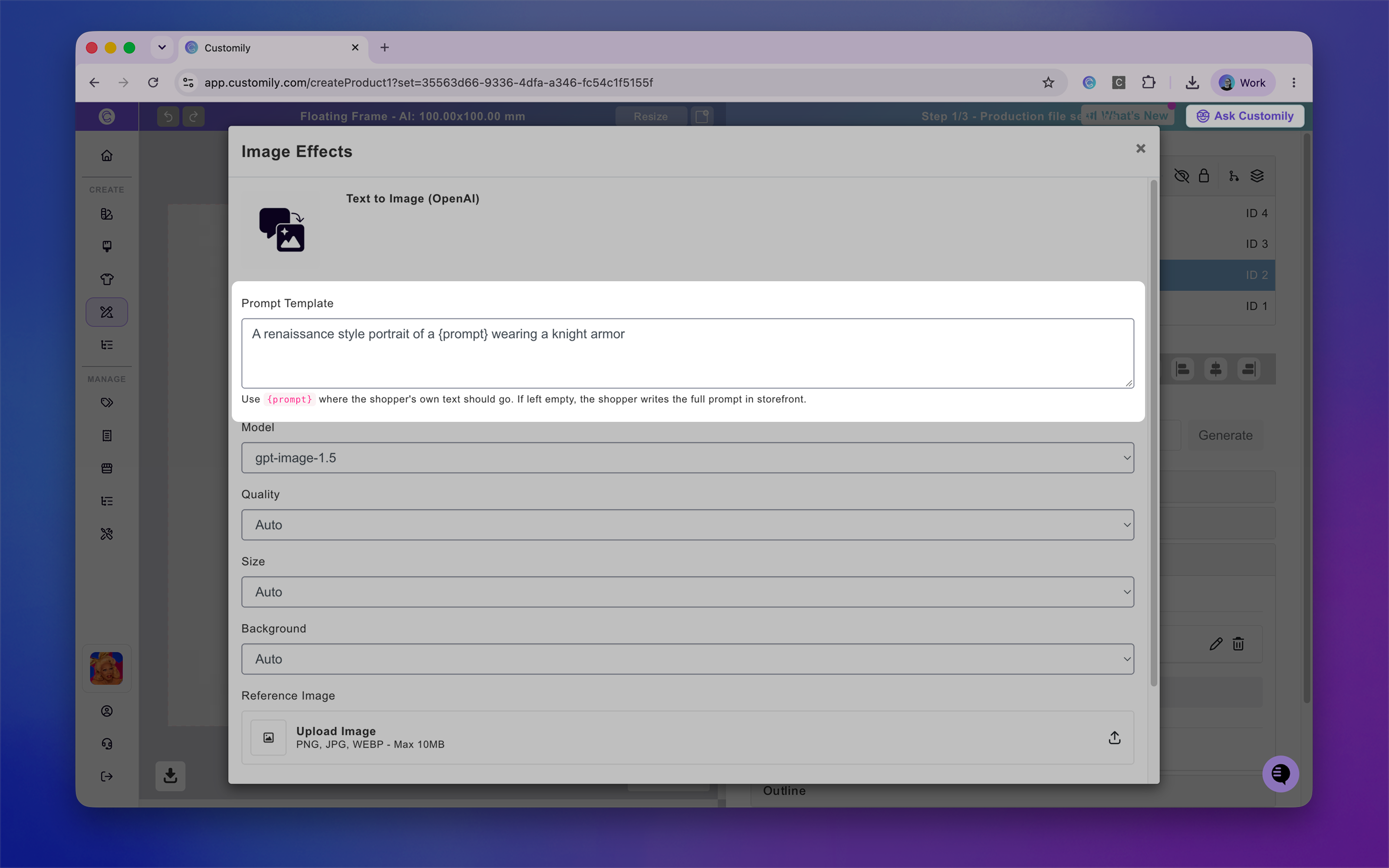
This means shoppers only need to provide the specific detail they want to personalize, instead of writing a full, detailed prompt from scratch.
For example:
A renaissance-style portrait of a {prompt} wearing knight armor
Instead of asking the shopper to write something like “Create a renaissance-style portrait of a golden retriever wearing knight armor…”, they can simply enter “golden retriever”.
This gives store owners more control over the type of images being generated while making the personalization experience faster and easier for shoppers.