
Allow Deselecting from Multi-Select Swatches ❌

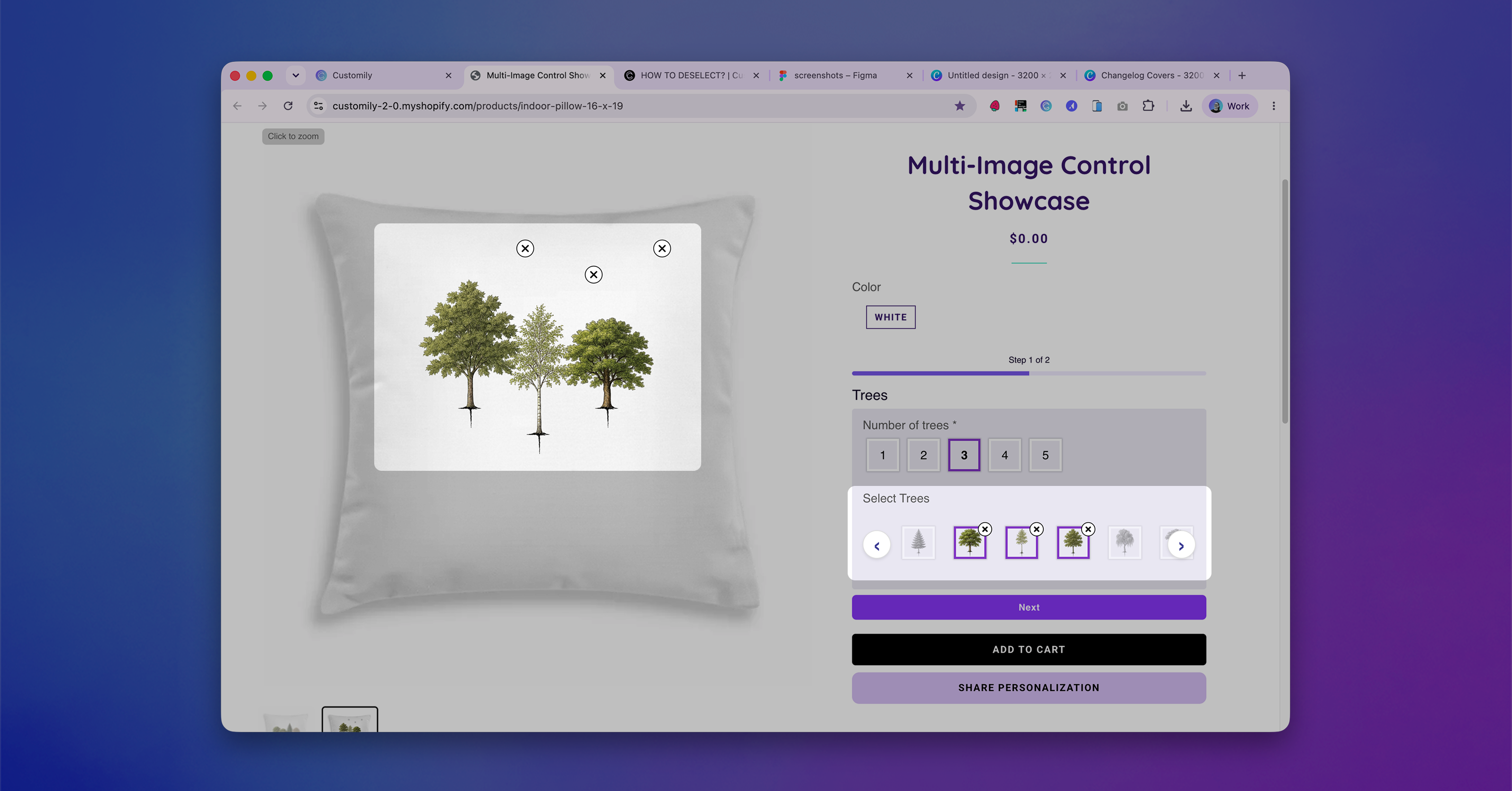
Managing multiple image selections just got even easier.
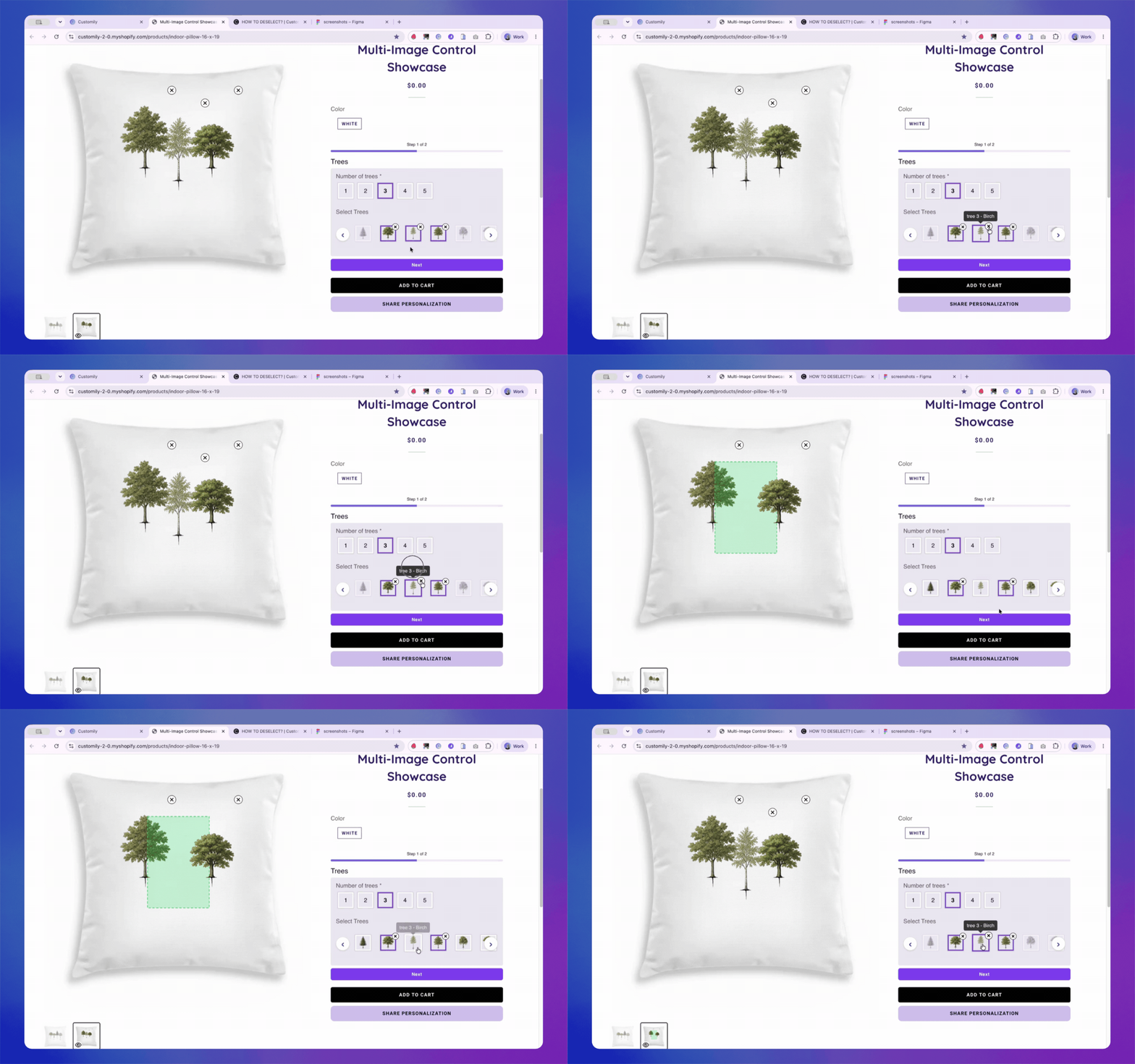
When using Swatch Options that Allow Multiple Selections, shoppers can now remove individual selections directly from the selected swatches, without needing to interact with the preview canvas.
Previously, removing an item depended on deleting it from the preview itself. Now, the swatches themselves provide a much more intuitive way to deselect items, giving shoppers greater control while keeping the personalization flow simple.
How to set it up
This feature follows the same setup requirements as Multi-Image Control for Dynamic Images.
Once your option is configured:
-
Go to Store Settings → Styles → Swatch Styles.
-
Enable Allow deleting from Multiselect Swatch Option.
-
Save your changes.
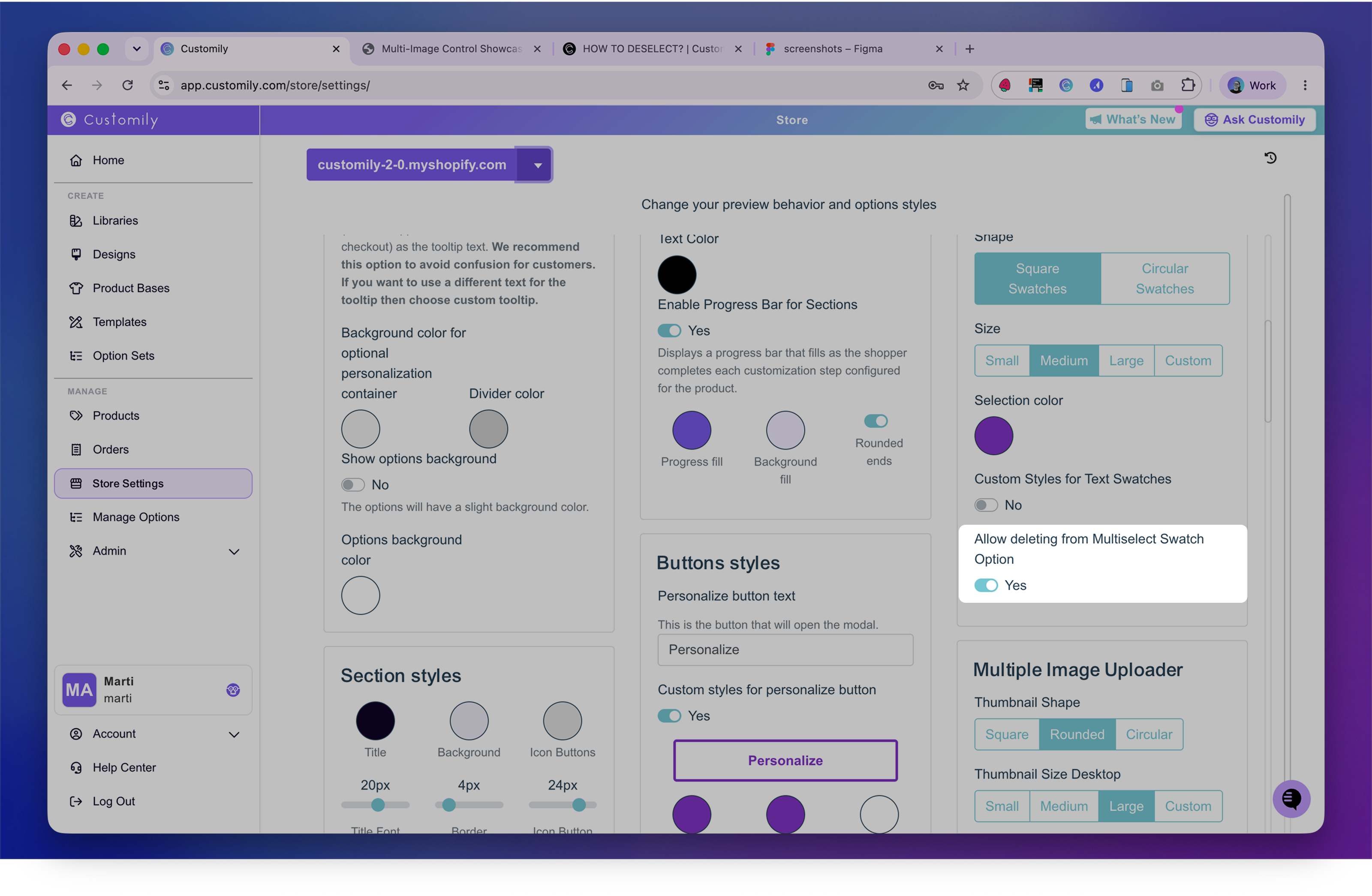
That's it! Your shoppers will now be able to remove any selected swatch directly from the option, without interacting with the preview canvas.
Currently available only for Shopify stores